
Personal Cybersecurity
How to Avoid Being Hacked (2026): The 12 Habits That Stop 95% of Attacks
Most hacks don't involve genius attackers breaking through firewalls — they involve one reused password, one clicked link, or one missed update. These are the 12 habits our Miami security engineers see stop the overwhelming majority of real-world attacks, plus what to do in the first hour if you think you've been compromised.
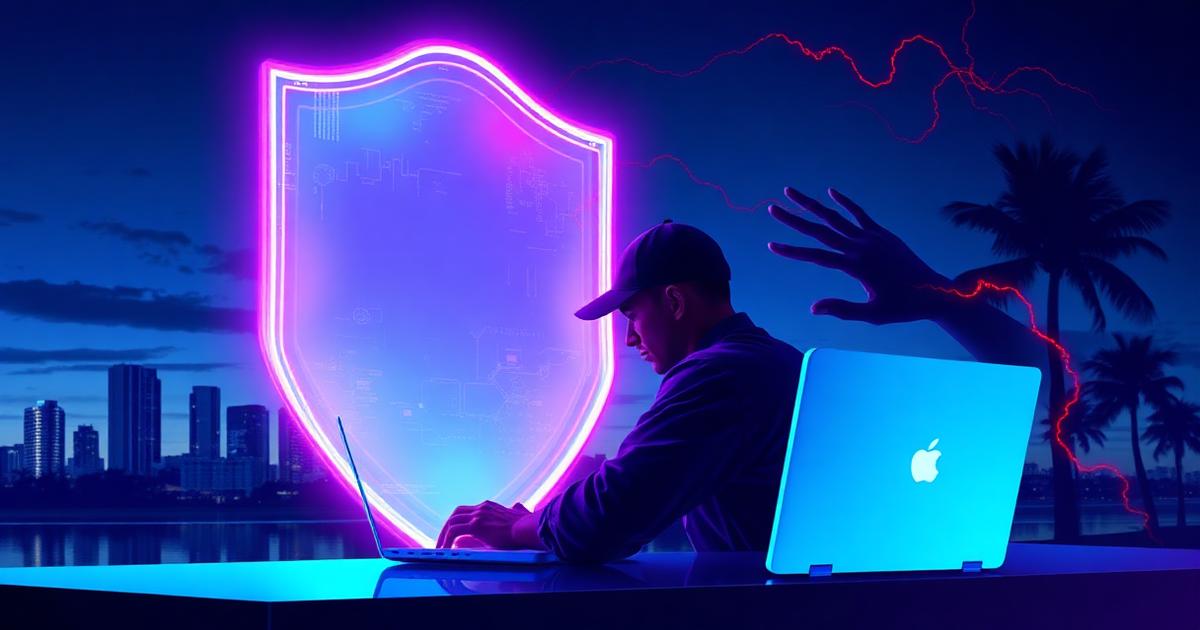
When people picture getting hacked, they imagine a hooded genius typing furiously in a dark room, breaking through their defenses in real time. After years of incident response work across Miami and South Florida, we can tell you the reality is far less cinematic: the overwhelming majority of compromises we investigate come down to one of three doors left unlocked — a phishing link someone clicked, a password reused from an old data breach, or an account with no multi-factor authentication.
That's actually good news. It means avoiding being hacked isn't about buying expensive tools or becoming a security expert. It's about consistently doing a small number of things that close those three doors — and a few others. These are the 12 habits we teach our own families, ranked by how much risk each one removes.
1. Use a password manager — this one change eliminates the most common hack
The single most common way accounts get taken over in 2026 is credential stuffing: attackers take email-and-password combinations leaked in old data breaches (there are billions floating around) and try them automatically on banking sites, email providers, and social networks. If you reuse passwords — even a 'strong' one — one breach of some forgotten forum account can hand an attacker your email.
A password manager (1Password, Bitwarden, iCloud Keychain, or Google Password Manager all work) generates and remembers a unique random password for every account. You memorize one master password; it handles the rest. This one tool breaks the entire credential-stuffing attack chain. If you do nothing else from this article, do this.
2. Turn on multi-factor authentication — but the right kind
MFA means a password alone can't open your account — an attacker also needs a second proof that they're you. But not all MFA is equal. Text-message codes can be intercepted through SIM-swapping (where a criminal convinces your carrier to move your number to their phone). Better options, in order of strength:
- 1Passkeys — the fingerprint/face login built into your phone. Essentially unphishable, and now supported by Google, Apple, Microsoft, and most banks.
- 2Authenticator apps (Google Authenticator, Microsoft Authenticator, Authy) — codes generated on your device that refresh every 30 seconds.
- 3Hardware keys (YubiKey) — the gold standard for executives, lawyers, and anyone targeted specifically.
- 4SMS codes — better than nothing, but the weakest option. Upgrade wherever you can.
Prioritize in this order: your primary email (it's the reset key for everything else), banking and financial apps, then social media. If an attacker owns your email, they can reset every other password you have.
3. Learn the three-second phishing check
Phishing is behind most successful hacks, and 2026's AI-written phishing emails no longer have the typos that used to give them away. Before clicking any link in an email, text, or DM, take three seconds to check:
- The actual sender address — not the display name. 'Amazon Support' sent from az-security-verify.net is fake no matter how official the logo looks.
- The link destination — hover (or long-press on mobile) to preview it. amazon.com is real; amazon-billing.info is not.
- The urgency — 'your account will be closed in 24 hours' or 'wire this payment immediately' is manufactured pressure. Real companies don't operate this way.
When in doubt, don't click. Open your browser, type the company's address yourself, and log in there. If something is genuinely wrong with your account, you'll see it after logging in through the front door. For real-world examples, see our guide on how to prevent phishing attacks.
4. Update everything — promptly
That 'update available' notification isn't a cosmetic suggestion. Most major vulnerabilities are patched by the vendor before attackers widely exploit them — meaning the people who get hacked through software flaws are overwhelmingly the ones who didn't install the fix. Turn on automatic updates for your phone, computer, browser, and apps, and stop clicking 'remind me later' for weeks.
Don't forget the devices that never ask: your home router, smart TV, cameras, and doorbell. Log into your router's admin page a few times a year and check for firmware updates, or replace routers old enough to no longer receive them.
5. Treat public Wi-Fi as hostile territory
Public Wi-Fi at airports, hotels, and coffee shops is a common hunting ground. Attackers can set up lookalike hotspots ('MIA_Free_WiFi' vs the real one) or snoop on unencrypted traffic. The rules are simple:
- Never do banking, shopping, or anything sensitive on public Wi-Fi — switch to your phone's cellular data or hotspot instead.
- Verify the network name with staff before connecting; criminals clone hotspot names constantly.
- Turn off auto-join for open networks so your phone doesn't silently connect to a spoofed one later.
- A reputable VPN adds a useful layer of encryption if you travel frequently.
6. Lock down your social media — it's an attacker's research file
Attackers build hacking answers from your public posts: your dog's name (security question), your birthday (password ingredient), your vacation dates (when to strike), your employer and colleagues (who to impersonate). Set personal accounts to private, strip personal details from bios, and be suspicious of messages from 'friends' asking for codes, money, or links — hijacked accounts are used to attack everyone in the contact list. If a message feels off, verify through a different channel: call them.
7. Back up what you can't afford to lose
Ransomware and destructive attacks turn a bad day into a catastrophe only when there's no backup. Follow the 3-2-1 rule: three copies of important data, on two different types of storage, with one copy off-site or in the cloud. iCloud/Google Photos handles photos automatically; an external drive plus a cloud service covers documents. Test that you can actually restore from your backup once a year — a backup you've never tested is a hope, not a plan.
8. Use a passkey or biometric lock on every device
An unlocked stolen phone is a skeleton key: saved passwords, email access, banking apps, and the ability to reset everything else. Every device should have a strong lock — six-digit minimum PIN (not 1234 or your birth year), fingerprint, or face unlock — and be set to lock automatically within a couple of minutes. Also enable Find My iPhone / Find My Device so you can remotely locate or wipe a lost device.
9. Be picky about apps and browser extensions
Only install apps from the official App Store or Google Play, check the developer name and review count, and question permissions — a flashlight app has no business reading your contacts. Browser extensions are an underrated attack vector: they can see everything you type, including passwords. Install only extensions you actively need from developers you recognize, and audit your installed extensions every few months.
10. Freeze your credit — free, and it blocks financial identity theft
A credit freeze stops criminals from opening credit cards or loans in your name, even if they have your Social Security number from a breach. It's free at all three bureaus (Equifax, Experian, TransUnion), takes about 15 minutes total, and you can temporarily lift it whenever you apply for credit yourself. Given how much personal data has leaked in breaches, treat your SSN as already public and your credit freeze as the actual lock.
11. Watch for the early warning signs
The faster you catch a compromise, the less damage it does. Warning signs worth acting on immediately:
- Password reset emails you didn't request — someone is testing your accounts.
- Friends reporting messages 'from you' that you never sent.
- Devices running hot, draining battery fast, or showing apps you didn't install — see our guide on how to know if your iPhone is hacked.
- Login alerts from unfamiliar locations or devices.
- Sent items in your email that you didn't write.
12. Have a plan before you need one
The worst time to figure out how to respond to a hack is while it's happening. Spend 20 minutes now: know where your important accounts are, make sure your password manager is set up, save your bank's fraud line in your contacts, and write down the recovery emails/phone numbers for your key accounts. Families and small businesses alike should know who to call — a bank, an IT provider, or a cybersecurity team — before an incident, not during one.
Think you've been hacked? Do this in the first hour
- 1From a device you're confident is clean, change your primary email password first — it's the reset key for everything else.
- 2Log into your email and social accounts and sign out all other active sessions (every major provider has this option in security settings).
- 3Turn on MFA anywhere it isn't already enabled.
- 4Change passwords on banking and financial accounts, then check statements for transactions you don't recognize.
- 5If money was stolen or accounts are being actively abused, file a report at reportfraud.ftc.gov and identitytheft.gov, and contact your bank's fraud department.
- 6If the compromise touches work data, client information, or your business, call a professional incident response team before wiping anything — evidence matters.
If your email specifically has been compromised, our step-by-step recovery guide Email Hacked? 14 Signs and How to Take It Back walks through the full process.
The bottom line
You don't have to outrun the hacker — you have to be a harder target than the next person. Attackers running automated campaigns move on quickly when an account has a unique password, MFA, and an owner who doesn't click urgency-bait links. The 12 habits above take a weekend to put in place and protect you around the clock afterward.
If you want a professional set of eyes on your setup, Cybrvault offers personal security audits across Miami and South Florida — we review your devices, accounts, home network, and digital footprint and hand you a prioritized fix list. One hour of prevention beats weeks of recovery.
Get the 10-step Cyber Hardening Checklist
The exact steps our Miami team uses to lock down people and small businesses — takes under an hour. Instant access, no call required.
// frequently asked
Questions teams ask us
What is the most common way people get hacked?+
Phishing — clicking a malicious link or entering credentials on a fake login page — is the leading cause, followed closely by credential stuffing, where passwords leaked in old data breaches are tried against your other accounts. Both are stopped by unique passwords (via a password manager) and multi-factor authentication.
Can I get hacked just by visiting a website?+
It's possible but rare on updated devices. 'Drive-by' attacks exploit unpatched browser or operating-system vulnerabilities, which is why prompt updates matter so much. You're far more likely to be tricked into downloading something malicious or entering credentials on a fake page than to be compromised by simply viewing a site.
Is public Wi-Fi really dangerous?+
Yes, for sensitive activity. Attackers can run lookalike hotspots or snoop on unencrypted connections at airports, hotels, and coffee shops. Avoid banking and shopping on public Wi-Fi; use your phone's cellular data or hotspot instead, and consider a VPN if you travel frequently.
Is SMS two-factor authentication good enough?+
It's better than no MFA, but it's the weakest form because of SIM-swapping attacks, where a criminal convinces your carrier to transfer your phone number. Upgrade to an authenticator app or passkey for your email, banking, and other critical accounts.
How do I know if I've already been hacked?+
Common signs include password reset emails you didn't request, login alerts from unfamiliar locations, friends receiving messages from you that you never sent, unknown devices in your account's session list, and unexplained battery drain or new apps on your phone. Act on these immediately — change your email password from a clean device first, then sign out all sessions.
Do I need antivirus software in 2026?+
On Windows, the built-in Microsoft Defender is solid for most people when combined with the habits in this guide. On iPhones and Macs, the built-in protections plus careful app hygiene are generally sufficient. Antivirus is a safety net, not a substitute — it doesn't stop phishing or credential stuffing, which cause most compromises.
// miami, fl services
Cybersecurity built for South Florida
// need help applying this?
Book a free, confidential consultation.
Our engineers can map this to your environment in 30 minutes.
Get secured// keep reading
Related articles

Personal Cybersecurity
Cybersecurity for Wealthy Individuals in Miami (2026): The Private Client Guide to Digital Privacy, Data Removal & Wire Fraud Defense
Wealth is now a targeting signal. This 2026 guide shows Miami high-net-worth families exactly how criminals find you (property records, data brokers, social posts, staff), how to remove your personal information from the internet, how to stop six-figure wire fraud and SIM swaps, and how to secure the household — principals, family offices, estates, yachts and domestic staff.
Personal Cybersecurity
Personal Cybersecurity for Miami Business Owners (2026): The Playbook Attackers Don't Want You to Have
In Miami, attackers stop targeting your company and start targeting you — the owner. This 2026 field guide from Cybrvault walks South Florida founders, executives, and family offices through the exact personal cybersecurity stack (devices, accounts, MFA, home network, family, travel, and wire-fraud defense) that stops the attacks we actually respond to every week.
Personal Cybersecurity
How to Prevent Identity Theft in 2026: A Miami Resident's Complete Guide
Florida leads the country in identity theft reports year after year — and Miami is the epicenter. This 2026 field guide from a Miami cybersecurity firm walks through the exact freezes, alerts, tools, and daily habits that actually stop identity theft (and what to do in the first 24 hours if it already happened to you).
Under attack right now? Our 24/7 line responds immediately.