
Personal Cybersecurity
How to Check If a Link Is Safe: The 2026 Step-by-Step Guide (7 Free Tools + Red Flags)
Before you click that link in a text, email, or DM — run it through this 60-second safety check. Cybrvault's 2026 guide covers 7 free URL scanners (VirusTotal, Google Safe Browsing, URLVoid), the 12 red flags inside any suspicious link, and what to do if you already clicked.
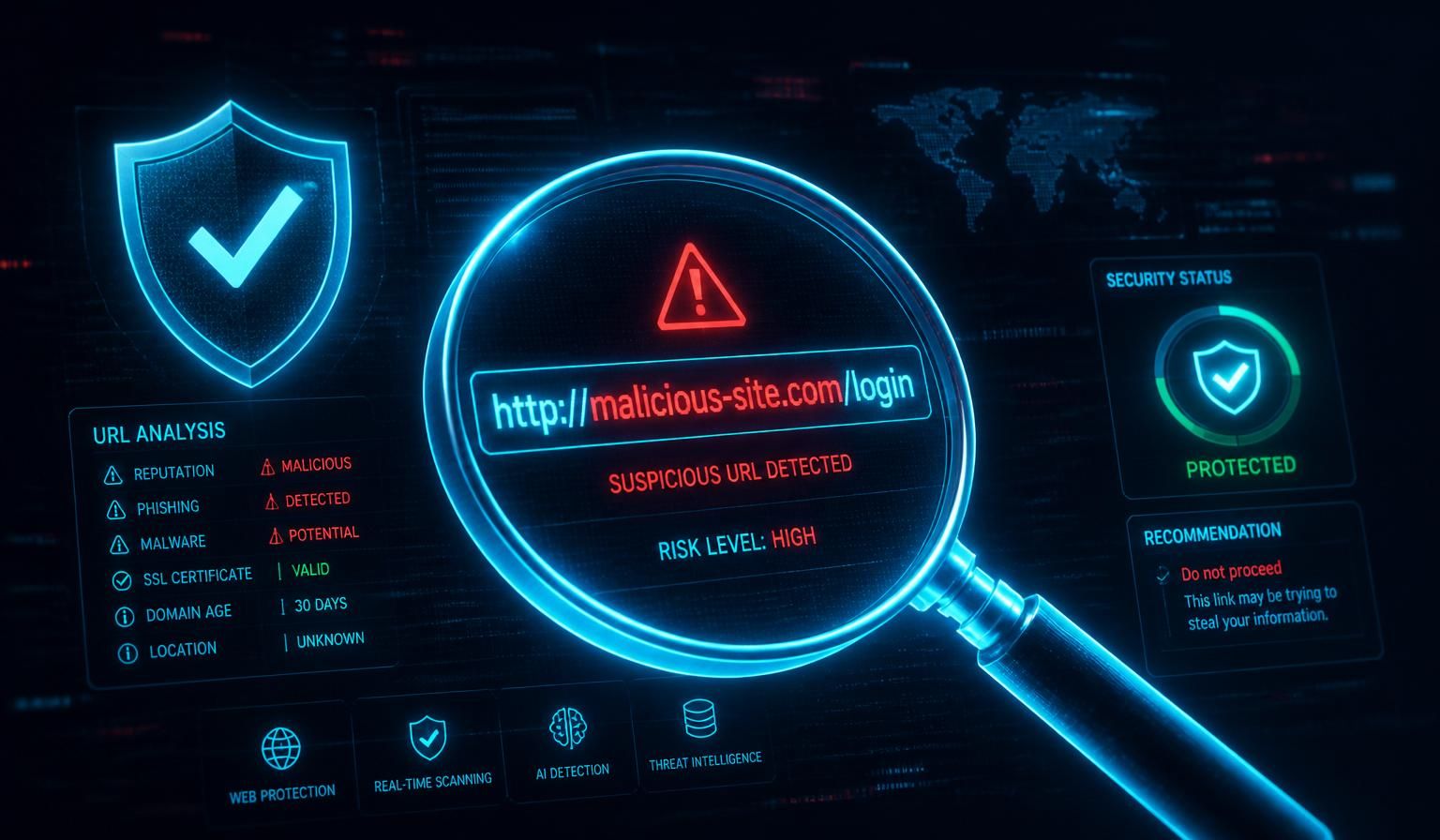
You got the text. 'Your USPS package is on hold — confirm address: usps-redelivery[.]help/track.' Or the email from 'Chase Fraud Department.' Or the LinkedIn DM with a 'job offer' PDF. Before you click anything, this is the exact 60-second process Cybrvault analysts use to vet a suspicious link — using only free tools, no software install, works on iPhone, Android, Mac, and Windows.
We triage 200+ suspicious links per month for clients across Miami, Coral Gables, Brickell, and Fort Lauderdale. The same playbook works whether the link came from a text, email, Instagram DM, WhatsApp, Slack, or a QR code on a parking meter.
Step 1: Never Click — Preview the Real URL First
The single biggest mistake is clicking 'just to see.' Modern phishing kits trigger drive-by malware downloads, cookie theft, or session hijacking the moment the page renders — no input required. Preview the destination URL without loading it:
- Desktop browser: hover your mouse over the link. The real destination appears in the bottom-left status bar.
- iPhone (Safari, Mail, Messages): long-press the link. A preview card shows the full URL at the top.
- Android (Chrome, Gmail): long-press the link, then tap 'Copy link address' to inspect it in a notes app.
- Outlook / Gmail desktop: hover shows the real URL, even when the display text says something else.
- Shortened links (bit.ly, t.co, tinyurl, goo.gl): add a '+' to the end (e.g. bit.ly/xyz+) to see the expanded URL without visiting.
Step 2: Run It Through These 7 Free URL Scanners
Copy the suspicious URL (don't visit it) and paste into one or more of these. They sandbox the link against threat databases without exposing your device.
1. VirusTotal (virustotal.com) — The Gold Standard
Paste the URL into the URL tab. VirusTotal scans against 70+ antivirus engines (Kaspersky, BitDefender, Sophos, ESET, Fortinet, etc.) and reputation services. If 3+ engines flag it as malicious or phishing, do not visit. Free, no account required, owned by Google's Chronicle Security.
2. Google Safe Browsing Status (transparencyreport.google.com/safe-browsing/search)
Google's authoritative malware/phishing list — the same one Chrome, Firefox, Safari, and Android use to throw 'Deceptive site ahead' warnings. If Google flags it here, every major browser will block it.
3. URLVoid (urlvoid.com)
Cross-references the domain against 30+ blocklists including PhishTank, Spamhaus, and OpenPhish. Also shows server location, IP, and domain registration data — invaluable for spotting brand-new scam infrastructure.
4. PhishTank (phishtank.org)
Community-verified phishing URL database run by Cisco Talos. Especially strong on banking, crypto, and Microsoft 365 lures.
5. urlscan.io
Detonates the URL in a sandbox browser and gives you a full screenshot, network log, and DOM tree — so you can see what the page would have done to you without exposing your real device. The most technical option but the most thorough.
6. Norton Safe Web (safeweb.norton.com)
Fast reputation check based on Norton's web-of-trust dataset. Good complement to VirusTotal.
7. Sucuri SiteCheck (sitecheck.sucuri.net)
Best for checking if a legitimate website you already trust has been hacked (defacement, injected JS, blackhat SEO redirects). Run this if a friend's link looks 'off.'
Step 3: The 12 Red Flags in Any Suspicious URL
Most scam links can be killed on visual inspection alone — no scanner needed. Train your eye on these 12 patterns and you'll catch 90% of phishing before it ever loads.
- 1Misspelled brand names: paypa1.com, arnazon.com, microsft-login.com, netflix-billing.help. Substituting '1' for 'l', 'rn' for 'm', or '0' for 'o' is the #1 phishing trick of 2026.
- 2Extra subdomains hiding the real domain: apple.com.account-verify.ru — the real domain is account-verify.ru, not apple.com. Read URLs right-to-left, stopping at the first single slash.
- 3Random shortened links with no preview: bit.ly/3xY9pQ, t.ly/abc, tinyurl.com/2y4. Legitimate brands almost never send raw shorteners to logged-in users in 2026.
- 4Suspicious TLDs: .zip, .mov, .top, .xyz, .click, .country, .work, .gq, .tk, .ml, .cf — these are dirt-cheap or free and over-represented in phishing data. A 'Chase' link ending in .top is never Chase.
- 5No HTTPS padlock — but the inverse is NOT a green light. 84% of phishing sites in 2026 use HTTPS. The padlock proves encryption, not legitimacy.
- 6URL-encoded characters disguising the destination: %2F (slash), %2E (dot), %40 (@). The @ symbol in particular: anything before @ is ignored by browsers, so apple.com@evil.ru actually goes to evil.ru.
- 7Punycode lookalikes (IDN homograph attacks): аpple.com (with Cyrillic 'а'), gооgle.com (Cyrillic 'о'). Modern browsers show xn-- prefixed Punycode for these, but only if you look closely.
- 8Random hash strings in the path: example.com/a8f7d6e5b4c3.html. Legitimate marketing links use readable slugs.
- 9Urgent or threatening copy alongside the link: 'account suspended,' 'final notice,' 'verify within 24 hours,' 'package will be returned.'
- 10Display text doesn't match hover URL: link text says 'Chase.com' but hover reveals chase-secure-login.xyz.
- 11IP address instead of a domain: http://185.243.114.27/login. Legitimate companies never send users to raw IPs.
- 12Domain registered in the last 30 days. Check on whois.com — a 'Bank of America' domain registered last Tuesday is a scam, full stop.
Step 4: Check the Domain Age and Registration
Phishing domains are typically registered, used for 3–14 days, and burned. Two free tools tell you everything you need to know:
- whois.com — shows registration date, registrar, and country. Anything under 90 days old paired with a known brand name is almost always malicious.
- securitytrails.com — shows historical DNS records and subdomain history. Real businesses have years of records; phishing domains have none.
Cross-reference with the brand's official domain. Microsoft has owned microsoft.com since 1991. Any 'microsoft' domain registered in 2026 is not Microsoft.
Step 5: Recognize the 5 Phishing Lures Dominating 2026
If the link arrived in one of these contexts, your suspicion threshold should already be at maximum:
- 1USPS / FedEx / UPS 'package on hold' SMS — the #1 SMS phishing lure in the US for 18 months running. USPS never texts you about redelivery fees.
- 2Toll road 'unpaid balance' SMS (E-ZPass, SunPass, FasTrak, TxTag) — exploded in 2025–2026, hitting every state.
- 3Bank 'fraud alert' calls and texts with a link to 'verify' — real banks never send you a link to log in. They tell you to call the number on the back of your card.
- 4IRS / Social Security 'final notice' emails — the IRS only contacts you by physical mail.
- 5LinkedIn 'job offer' or 'recruiter' DMs with PDF or DocuSign links — credential harvesting against professionals, especially in finance, defense, and crypto.
Step 6: What to Do If You Already Clicked
Clicking alone is usually not catastrophic — entering credentials or downloading a file is what causes real damage. Take these actions in order, immediately:
- 1Close the tab. Don't tap, type, or download anything on the page.
- 2Disconnect from WiFi / mobile data for 60 seconds if a file started downloading — this aborts most in-progress payloads.
- 3Clear browser cache and cookies for the last hour (Chrome: Settings → Privacy → Clear browsing data → Last hour).
- 4If you typed a password: change it on the real site immediately, then change it everywhere else you reused it. Enable MFA — preferably an authenticator app or passkey, not SMS.
- 5If you entered a credit card: call the issuer (number on the back of the card), report the card compromised, request a new one. Most issuers ship a replacement in 2–3 days.
- 6Run a full malware scan. Malwarebytes Free (Windows/Mac), Bitdefender Virus Scanner (Mac), or Google Play Protect (Android) is enough for most consumer-grade attacks.
- 7On iPhone, force-close the browser and restart the phone. iOS sandboxing blocks 95%+ of browser-delivered malware.
- 8Watch your bank, email, and identity (creditkarma.com or annualcreditreport.com) for 30 days. Place a free credit freeze at all three bureaus if you entered SSN data.
Step 7: Browser and Phone Settings That Block Bad Links Automatically
Set these once and 80% of phishing links never even render on your device:
- Chrome → Settings → Privacy and security → Enhanced Safe Browsing. Real-time URL checks against Google's threat database.
- Safari (iOS/Mac) → Settings → Safari → Fraudulent Website Warning ON. Default but worth verifying.
- iPhone → Settings → Messages → Filter Unknown Senders ON. Pushes SMS phishing into a separate inbox.
- Android → Messages app → Settings → Spam protection ON. Google flags 1B+ scam SMS per month.
- Install uBlock Origin (desktop) or AdGuard (mobile). Most phishing kits rely on ad-tech redirects — blocking them kills the funnel.
- Use a security-aware DNS resolver: NextDNS (free up to 300k queries/mo), Cloudflare 1.1.1.2 (malware-blocking), or Quad9 (9.9.9.9). Blocks malicious domains network-wide before they resolve.
- Enable passkeys wherever your bank, email, and Apple/Google/Microsoft accounts offer them. Passkeys are physically immune to phishing — they only work on the real domain.
QR Codes Are Links Too (Quishing)
Quishing — QR code phishing — exploded in 2025 and is now the fastest-growing attack vector on Cybrvault's incident dashboard. Stickers slapped over real QR codes on parking meters, restaurant menus, EV chargers, and even DocuSign emails. Treat every QR code like an untrusted link:
- Use your phone's built-in camera (not a third-party QR app) — both iOS and Android show a preview URL before you tap.
- Read the preview URL the same way you'd read any other link — apply the 12 red flags above.
- On parking and EV chargers, pay through the official app instead. The QR sticker route has been compromised in Miami Beach, downtown Miami, Coral Gables, and Brickell parking garages in 2025–2026.
How Cybrvault Can Help
Cybrvault offers a free 15-minute phishing-link triage for Miami families and small businesses — text or email us the link and we'll detonate it in a sandbox and tell you exactly what it is, what it would have done, and whether anyone in your household or company has already clicked it. We also build the upstream defenses that catch the link before your team sees it: email security (Microsoft 365 / Google Workspace hardening), DNS filtering, managed MFA and passkey rollouts, and end-user phishing training. See our /miami/cybersecurity, /miami/personal-security, and /miami/24-7-monitoring pages for what we cover across Miami-Dade and Broward.
If you've already clicked and entered credentials, contact us today — the first 4 hours after compromise are when accounts are most likely to be saved.
Get the 10-step Cyber Hardening Checklist
The exact steps our Miami team uses to lock down people and small businesses — takes under an hour. Instant access, no call required.
// frequently asked
Questions teams ask us
What is the safest free website to check if a link is malicious?+
VirusTotal (virustotal.com) is the consensus best free option. Paste the URL into its URL tab and it runs the link against 70+ antivirus and threat-intelligence engines in under 10 seconds. It's owned by Google's Chronicle Security division. For a second opinion, cross-check on urlscan.io, which sandboxes the page and shows you a screenshot.
Is it safe to click a link just to see where it goes?+
No. Modern phishing kits can deploy drive-by malware, cookie theft, or session hijacking the instant the page loads — without you typing anything. Always preview the URL by hovering on desktop or long-pressing on mobile, and paste suspicious links into VirusTotal instead of clicking.
How can I tell if a shortened link (bit.ly, tinyurl) is safe?+
Most URL shorteners let you preview the destination by adding a '+' to the end (e.g. bit.ly/abc+ shows the expanded URL). For unknown shorteners, paste the link into unshorten.it or checkshorturl.com first, then run the expanded URL through VirusTotal.
I clicked a phishing link — what should I do?+
Close the tab immediately, clear your browser cache for the last hour, and do not enter any information. If you already typed a password, change it on the real site and anywhere else you reused it, then enable MFA. If you entered a credit card, call the issuer and report it compromised. Run a malware scan with Malwarebytes Free or Bitdefender. On mobile, restart the device.
Why do phishing links look like real websites?+
Attackers use four tricks: misspelled lookalike domains (paypa1.com), extra subdomains hiding the real domain (apple.com.login-verify.ru), Punycode characters that look identical to Latin letters (аpple.com with a Cyrillic 'а'), and HTTPS certificates that make the padlock appear. 84% of phishing sites in 2026 use HTTPS — the padlock proves encryption only, not legitimacy.
Are QR codes safer than links?+
No — QR codes are just links you can't read. 'Quishing' (QR phishing) is the fastest-growing attack of 2026, with stickers placed over real QR codes on parking meters, menus, and EV chargers in Miami and other cities. Always use your phone's built-in camera (which previews the URL) and apply the same red-flag checks to the preview.
// miami, fl services
Cybersecurity built for South Florida
// need help applying this?
Book a free, confidential consultation.
Our engineers can map this to your environment in 30 minutes.
Get secured// keep reading
Related articles
Personal Cybersecurity
How to Avoid Being Hacked (2026): The 12 Habits That Stop 95% of Attacks
Most hacks don't involve genius attackers breaking through firewalls — they involve one reused password, one clicked link, or one missed update. These are the 12 habits our Miami security engineers see stop the overwhelming majority of real-world attacks, plus what to do in the first hour if you think you've been compromised.

Personal Cybersecurity
Cybersecurity for Wealthy Individuals in Miami (2026): The Private Client Guide to Digital Privacy, Data Removal & Wire Fraud Defense
Wealth is now a targeting signal. This 2026 guide shows Miami high-net-worth families exactly how criminals find you (property records, data brokers, social posts, staff), how to remove your personal information from the internet, how to stop six-figure wire fraud and SIM swaps, and how to secure the household — principals, family offices, estates, yachts and domestic staff.
Personal Cybersecurity
Personal Cybersecurity for Miami Business Owners (2026): The Playbook Attackers Don't Want You to Have
In Miami, attackers stop targeting your company and start targeting you — the owner. This 2026 field guide from Cybrvault walks South Florida founders, executives, and family offices through the exact personal cybersecurity stack (devices, accounts, MFA, home network, family, travel, and wire-fraud defense) that stops the attacks we actually respond to every week.
Under attack right now? Our 24/7 line responds immediately.