
Identity Protection
Is My Email on the Dark Web? How to Check Free (and What to Do Next) in 2026
Worried your email address is floating around on the dark web? Here's how to check for free in under 60 seconds, what it actually means when your email shows up in a breach, and the exact 9-step recovery playbook Cybrvault uses to lock attackers out before they drain your accounts.
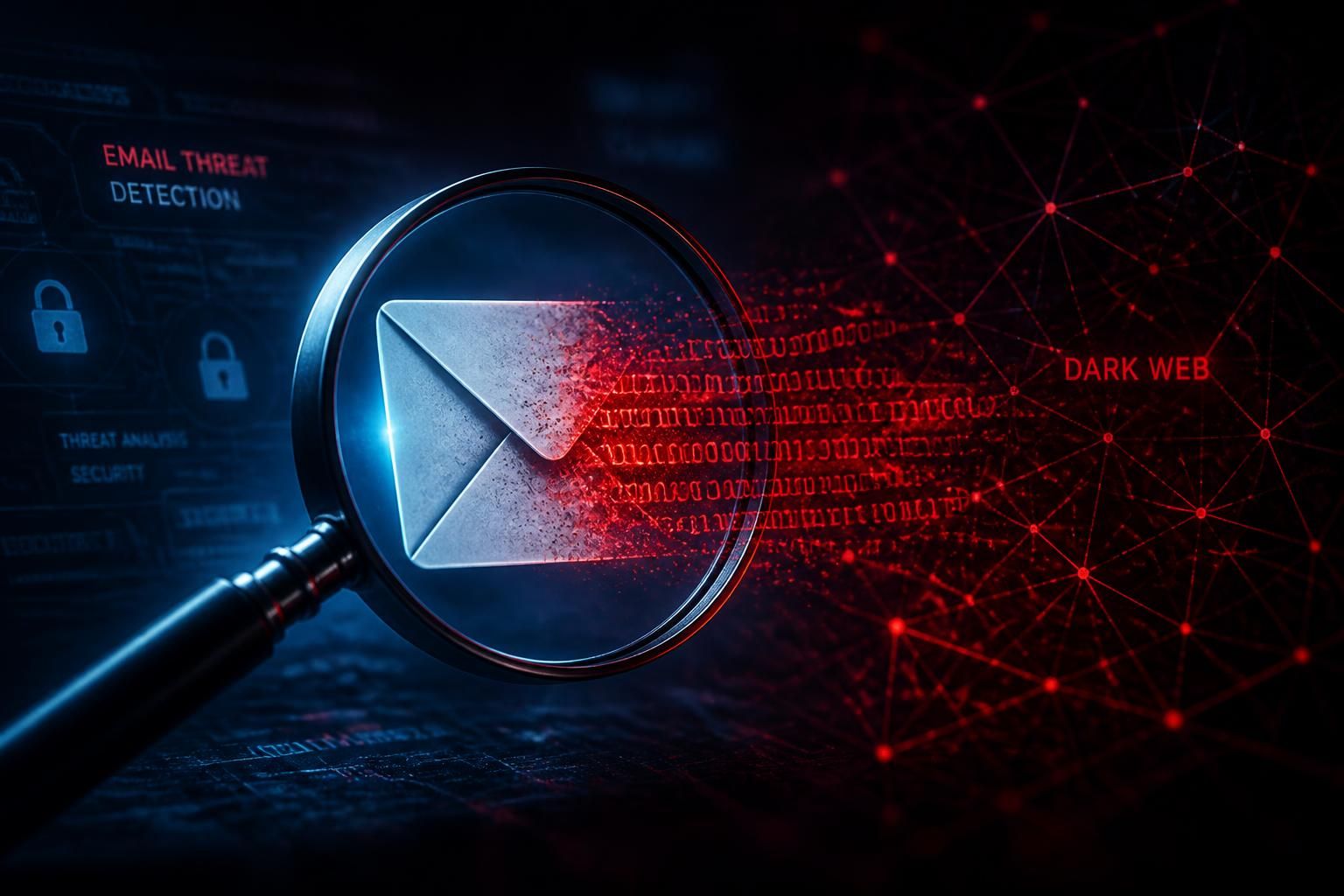
You got an alert from Google, your password manager, or your bank that your email address was 'found on the dark web,' and now you're trying to figure out if you should panic, change every password you own, or ignore it. The honest answer: somewhere between the three. This guide walks through exactly what 'email on the dark web' means in 2026, how to verify it for free in under a minute, how to tell a low-risk breach from a real emergency, and the same 9-step recovery checklist Cybrvault runs for paying clients — written for a non-technical reader.
What 'email on the dark web' actually means in 2026
When a service says your email is on the dark web, what they almost always mean is this: a website or app you once signed up for was breached, the attackers exported the user database, and your row in that database — your email address, often a hashed or plaintext password, sometimes your name, phone, address, or security questions — is now part of a file being shared, sold, or given away on dark-web forums, Telegram channels, and paste sites. Your email account itself is not necessarily hacked. The leak is about a third-party site, not your inbox.
There are three flavors of exposure, and the response depends on which one you're dealing with:
- 1Standard data breach — A company like LinkedIn, Dropbox, MyFitnessPal, Adobe, or Ticketmaster gets hacked, and the database (emails, hashed passwords, sometimes plaintext) ends up online. This is the most common and the least urgent.
- 2Combolist / credential-stuffing dump — Attackers take dozens of old breaches, crack the hashes, and publish a giant text file of email:password pairs. Bots then replay those combos against every major site within hours. Higher urgency, because the credentials are already weaponized.
- 3Infostealer log — Malware like RedLine, LummaC2, StealC, or Vidar infected one of your devices (or someone you share a computer with) and stole every saved browser password, cookie, crypto wallet, and autofill field. This is the dangerous one. The attacker has live session cookies, not just an old password.
How to check if your email is on the dark web — for free, in under 60 seconds
Forget paid scanners for the first pass. Use three independent free sources. If any of them flags you, the result is reliable; if none do, you're almost certainly fine for indexed breaches.
1. Have I Been Pwned (the gold standard)
Go to haveibeenpwned.com — built by security researcher Troy Hunt, used by 1Password, Mozilla, and the U.S. government. Type your email, hit pwned?, and you'll see every public breach your address has appeared in, when it happened, and what data was leaked (email, password, DOB, phone, etc.). Free, no signup needed. Repeat for every email address you use — personal, work, and old ones you've forgotten about.
2. Google One Dark Web Report (free for every Google account in 2026)
Open one.google.com/dwr in any browser while signed into your Google account. Google's been giving away dark-web monitoring to all Gmail users since 2024 — it scans your email, phone numbers, address, and even your name against breach databases and stealer logs. The huge advantage over Have I Been Pwned is that Google indexes infostealer logs Troy Hunt's database doesn't show.
3. Mozilla Monitor (formerly Firefox Monitor)
monitor.mozilla.org — runs on Have I Been Pwned's API but adds continuous email alerts when new breaches show up. Free tier covers basic alerts; the paid Mozilla Monitor Plus tier ($8.99/mo in 2026) adds automated data-broker removal, which is what you actually want if your email exposes your home address or phone number.
Bonus: check your password, not just your email
Visit haveibeenpwned.com/Passwords and type a password you currently use anywhere. The site uses a privacy-safe k-anonymity hash check — it never sees your actual password. If it tells you the password has been seen 4,217 times in breaches, that exact string is in every credential-stuffing botnet's wordlist. Change it everywhere, today.
How to read your results: which breaches actually matter
Don't panic when Have I Been Pwned returns 17 breaches. Most are 10+ years old, the data leaked was minimal (just an email), and the password was hashed with bcrypt. Use this triage table — it's the same one Cybrvault uses internally:
Low risk — note it and move on
- Email-only leak (no password) from a site you don't remember signing up for.
- Breach is 5+ years old AND the leaked password was bcrypt/Argon2 hashed AND you've changed that password since.
- Old marketing/forum site you abandoned — as long as you didn't reuse that password anywhere important.
Medium risk — change passwords now
- Plaintext or MD5/SHA1 password leaked, even from an old breach.
- Breach included security-question answers, date of birth, or mother's maiden name — these get reused across banks for account recovery.
- You reused the leaked password on any other site (and 65% of people do, per the latest Verizon DBIR).
High risk — act today, treat as an incident
- Your email shows up in a stealer log (Google One and HudsonRock's free Cavalier tool will flag this — labels include RedLine, LummaC2, StealC, Vidar, Raccoon).
- A bank, brokerage, crypto exchange, or your primary Microsoft 365 / Google Workspace email is in the breach.
- You're getting login alerts, password-reset emails, or 2FA codes you didn't request right now.
What to do if your email IS on the dark web — the Cybrvault 9-step playbook
Run these in order. The first four matter most; the last five are hardening. Most non-technical users can finish the whole list in about 90 minutes.
- 1Change your primary email password first. If your Gmail, Outlook, or iCloud password is compromised, every other reset link goes to the attacker. Use a 16+ character passphrase you've never used before. Better: switch to a passkey (Google, Apple, and Microsoft all support them in 2026).
- 2Turn on phishing-resistant 2FA on your email. SMS codes can be SIM-swapped. Use an authenticator app (Authy, Google Authenticator, 1Password) or, ideally, a hardware key (YubiKey, Google Titan). Then revoke all existing sessions so the attacker is kicked out.
- 3Change passwords on the breached site AND anywhere you reused that password. Use a password manager (1Password, Bitwarden, Apple Passwords, Google Password Manager) to find reuses automatically — every modern manager has a 'compromised passwords' audit feature now.
- 4Lock down your bank, brokerage, and crypto accounts. Rotate the password, enable 2FA, add a verbal/PIN passphrase at your bank's call center (this stops social-engineered phone fraud), and turn on every transaction alert they offer.
- 5Freeze your credit at all three bureaus. Equifax, Experian, and TransUnion — free for life, takes 10 minutes online. A freeze stops new credit being opened in your name even if your full identity leaked. You can temporarily lift it any time you actually apply for credit.
- 6Update your security questions. If 'first pet' or 'mother's maiden name' leaked, change them everywhere — and don't use real answers. Treat them as second passwords (store the fake answers in your password manager).
- 7Run an antivirus + anti-stealer scan on every device. If you appeared in a stealer log, the malware that exfiltrated your data is still on the machine. Use Malwarebytes Premium plus Microsoft Defender's offline scan, or call us — stealer infections often hide as cracked software, fake browser updates, or 'AI image generator' downloads.
- 8Sign up for continuous monitoring. One-off scans go stale within days. Free options: Google One Dark Web Report, Mozilla Monitor. Paid: Aura, IDX, or Cybrvault Identity Watch — these monitor stealer logs, combolists, and Telegram channels the free tools miss.
- 9Remove your data from people-search sites. Spokeo, BeenVerified, WhitePages, Radaris and 200+ others sell your address, phone, and relatives for $0.99. Use Mozilla Monitor Plus, DeleteMe, or Optery to automate removals — this is what actually stops the phishing and smishing barrage after a breach.
What if you can't change the breached site's password (the site no longer exists)?
Common scenario — a forum from 2014 you signed up for once got breached, and the site is dead. You can't change the password there. That's fine; the only thing that matters is making sure that exact email + password combo doesn't work anywhere else. Run your password through haveibeenpwned.com/Passwords, and if it returns any hits at all, retire it from your life. Replace it everywhere it's still in use.
Should you change your email address entirely?
Usually no. Burning your email is a massive amount of work — every account, every contact, every receipt — and it doesn't solve the underlying problem (the breach already happened; the email is already in the dump forever). Two situations where switching does make sense:
- Your email is the username for high-value accounts (banking, crypto, work admin) AND it's appeared in 10+ breaches including a recent one. Move those high-value accounts to a new, never-published email used for nothing else.
- You're being targeted with relentless spear-phishing because your email + role + employer leaked together. New email + email aliasing (Apple Hide My Email, Firefox Relay, SimpleLogin) for every future signup.
How to make sure this never happens again (well, hurts less when it does)
You can't stop other companies from getting breached. You can make the breach worthless to attackers when it happens. Three habits do 90% of the work:
- 1Use a unique password for every site, stored in a password manager. A breach at one site = the attacker only gets the password for that one site.
- 2Use email aliases for new signups (Apple Hide My Email if you're on iPhone, Firefox Relay or SimpleLogin if not). When an alias starts getting spam, you know exactly which company leaked or sold your data, and you delete the alias.
- 3Move to passkeys wherever they're offered. Passkeys cannot be phished, cannot be replayed from a dump, and cannot be stolen by infostealers because there's no shared secret to steal. Google, Apple, Microsoft, Amazon, eBay, PayPal, and most banks support them in 2026.
When to call in help
DIY is enough for a standard breach. Call a professional incident-response team if any of these are true: you appeared in a stealer log; you've already seen fraudulent charges or login alerts; the breached email is used for your business or your clients' data; or you're getting targeted phishing (your name + employer + role used against you). Cybrvault offers a free 15-minute consultation — we'll tell you in plain English whether you can handle it solo or whether you need a paid engagement. No upsell pressure.
If you only do one thing after reading this: open haveibeenpwned.com and one.google.com/dwr in two browser tabs, check every email you've ever used, and write down which sites flagged. Half the battle is just knowing what's out there.
Get the 10-step Cyber Hardening Checklist
The exact steps our Miami team uses to lock down people and small businesses — takes under an hour. Instant access, no call required.
// frequently asked
Questions teams ask us
Is being on the dark web bad?+
It depends on what leaked. Email-only in an old breach with a strong, hashed password and no reuse? Low risk — keep monitoring and move on. Email plus a plaintext password you reused, or your email in a recent infostealer log? Treat it as an active incident and run the 9-step playbook above today.
How did my email get on the dark web in the first place?+
Almost always because a third-party site you signed up for was breached and its user database leaked. Less commonly, malware on a device you (or a family member) used exfiltrated your saved browser credentials. You did not have to do anything wrong — even careful users show up in major breaches because companies they trust got hacked.
Can I remove my email from the dark web?+
No — once data is in dark-web dumps it cannot be recalled. What you can do is make the leaked data worthless: change every password it leaked with, enable phishing-resistant 2FA or passkeys, freeze your credit, and set up continuous monitoring so any new exposure gets caught fast.
Is Have I Been Pwned safe to use?+
Yes. Have I Been Pwned is run by security researcher Troy Hunt and is integrated into 1Password, Mozilla, the UK National Cyber Security Centre, and the U.S. federal government's password policies. Searching only checks if your email appears in their breach database; it never stores your search.
Is the free Google One Dark Web Report any good?+
Yes — it's free for all Gmail users and indexes some infostealer logs and breach data that Have I Been Pwned doesn't cover. Use it as a second source alongside Have I Been Pwned and Mozilla Monitor. For complete coverage of Telegram channels, combolists, and stealer logs you still need a paid monitoring service.
Should I pay for a dark web monitoring service?+
Worth it if you're a small business owner, have a high-value online presence, hold crypto, or have already been a fraud victim. Otherwise the free combination of Have I Been Pwned + Google One Dark Web Report + Mozilla Monitor covers most consumers. Cybrvault Identity Watch is our paid tier for clients who want stealer-log and Telegram-channel coverage with a human analyst.
Does Cybrvault help with dark-web exposure and identity protection?+
Yes. Cybrvault runs full dark-web exposure reports, locks down your top 20 accounts, sets up phishing-resistant 2FA and passkeys, and provides continuous monitoring across breach databases, combolists, stealer logs, and paste sites. Visit our /services page or book a free 15-minute consultation on /contact.
// miami, fl services
Cybersecurity built for South Florida
// need help applying this?
Book a free, confidential consultation.
Our engineers can map this to your environment in 30 minutes.
Get secured// keep reading
Related articles

Personal Security
Email Hacked? (2026): 14 Signs Your Email Was Compromised and How to Take It Back
Your email account is the master key to your entire digital life. Here are the 14 signs that it has been compromised, the free tools that confirm it in under five minutes, and the exact 12-step lockdown sequence Miami incident responders use to take an account back and keep it.
Small Business Security
The Best Free Cybersecurity Tools Every Small Business Should Use in 2026
Cybersecurity is no longer optional for small businesses. Discover the best free cybersecurity tools for 2026 including Microsoft Defender, Bitwarden, Nmap, Wireshark, OpenVAS, OWASP ZAP, VirusTotal, and more to protect your business from ransomware, phishing, and data breaches.
Personal Security
Best Cybersecurity Practices for Individuals: 2026 Guide
Follow a practical, prioritized personal cybersecurity checklist for safer accounts, devices, home Wi-Fi, finances, travel, family communications, and recovery.
Under attack right now? Our 24/7 line responds immediately.