
Personal Security
Personal Cyber Security Services in Miami: 2026 Guide
A practical guide to personal cyber security services in Miami for individuals, families, executives, and professionals—including device, account, privacy, home network, and incident protection.
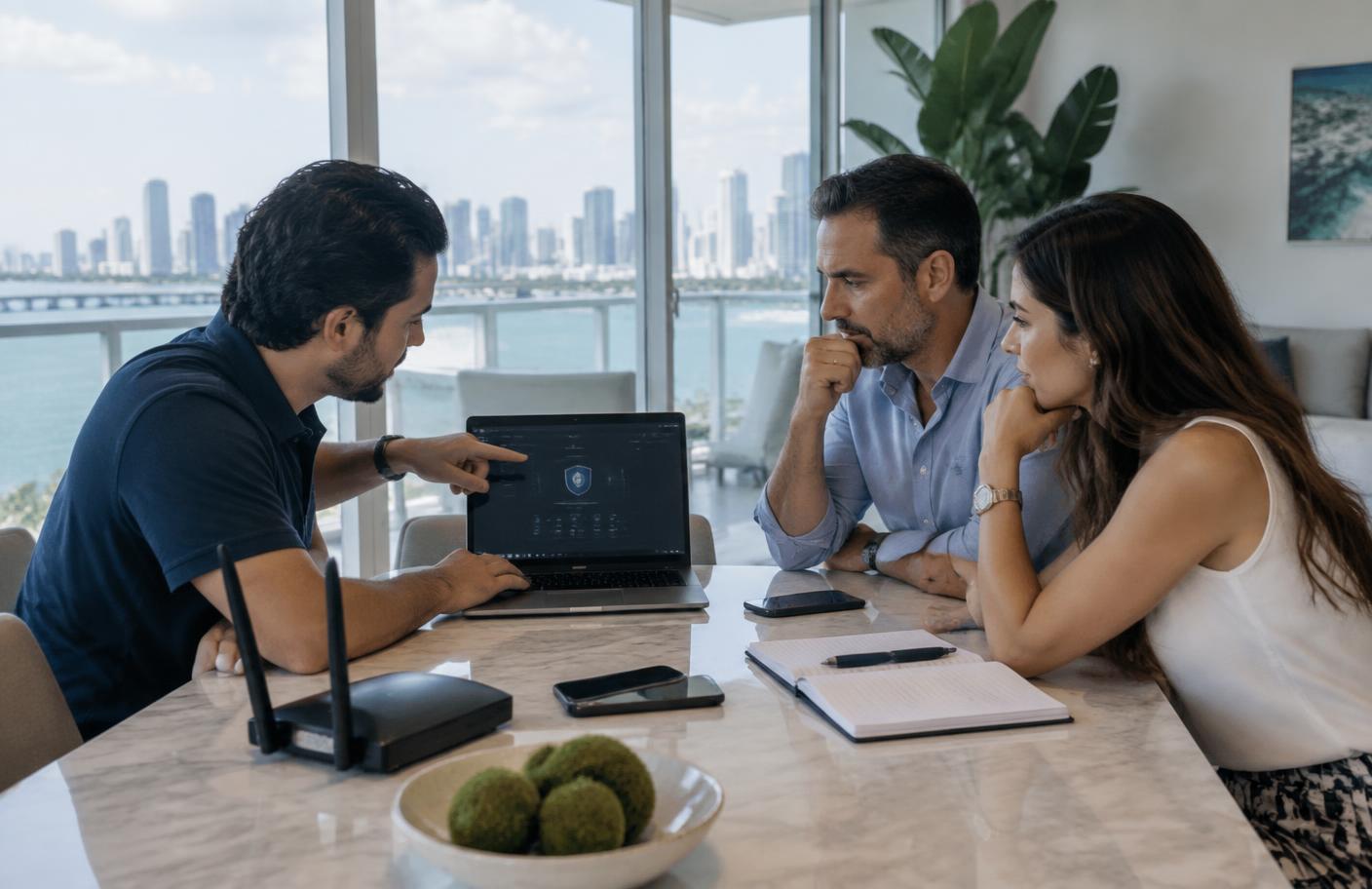
Personal cyber security services protect an individual's digital life as one connected system. That system can include a primary email address, mobile number, Apple or Google account, computers, home Wi-Fi, cameras, cloud backups, financial accounts, social profiles, family devices, and the public information criminals use to make a scam believable. One weak recovery method can bypass several otherwise strong defenses, so effective protection must address how these pieces connect.
For people searching for personal cybersecurity services in Miami, the right question is not simply which antivirus to install. It is which accounts and devices could cause the greatest harm if compromised, how an attacker could reach them, and which practical safeguards reduce that risk without making daily life unmanageable. This guide explains what a professional service should cover, who benefits most, what an engagement looks like, and how to evaluate a provider in South Florida.
What are personal cyber security services?
Personal cyber security services are professional assessments, configurations, monitoring, coaching, and response support designed for individuals and households rather than corporate networks. The work is customized around the client's identity, devices, family, profession, travel, property, and public exposure. A useful engagement reduces both the likelihood of an incident and the time required to recover if one occurs.
The exact scope varies, but a complete program usually examines account security, device configuration, home and travel networks, privacy exposure, identity and financial controls, communications, smart-home technology, family recovery procedures, and signs of existing compromise. Higher-risk clients may also need ongoing exposure monitoring, secure travel preparation, rapid incident support, or coordination with a family office, attorney, physical-security team, or company security department.
Personal cybersecurity is more than antivirus or identity monitoring
Antivirus, credit monitoring, password managers, virtual private networks, and data-removal subscriptions can each be useful. None of them sees the complete picture. Credit monitoring may detect a new account but cannot secure the email account used for password resets. Antivirus may stop known malware but cannot prevent a convincing phone call from persuading a carrier to transfer a number. A password manager cannot help if its recovery email is already controlled by an attacker.
- Identity monitoring watches selected records and identifiers for suspicious use; personal cybersecurity also reduces the ways those identifiers and recovery channels can be abused.
- Antivirus examines device activity; personal cybersecurity also addresses cloud sessions, account permissions, mobile carriers, home routers, smart devices, privacy settings, and human verification procedures.
- A consumer security bundle provides tools; a professional engagement validates that the right protections are configured, connected, recoverable, and realistic for the household.
- A one-time cleanup addresses today's exposure; an ongoing program accounts for new devices, travel, staff changes, leaked credentials, property technology, and evolving family needs.
Who needs personal cybersecurity in Miami?
Anyone can benefit from stronger digital hygiene, but professional help is most valuable when the likely impact or targeting level is higher than average. Risk depends less on fame alone than on access, assets, visibility, family circumstances, and the consequences of disruption.
- Executives, founders, business owners, and senior employees whose personal accounts could provide a path to company systems, employees, vendors, or payment approvals.
- Attorneys, physicians, financial professionals, real-estate professionals, and consultants who hold sensitive communications or are regularly involved in high-value transactions.
- High-net-worth individuals, family offices, investors, collectors, yacht owners, and households with staff, multiple properties, or complex technology environments.
- Public figures, creators, journalists, activists, athletes, and community leaders exposed to impersonation, doxxing, harassment, account takeover, or targeted social engineering.
- Families concerned about child identity theft, gaming and social accounts, shared passwords, location exposure, elder fraud, or inconsistent security across generations.
- Remote and hybrid workers whose home network, personal phone, browser, or cloud account overlaps with business activity.
- People already dealing with stalking, intimate-partner abuse, SIM swapping, identity theft, malware, extortion, repeated login alerts, or a compromised email or social account.
The 12 parts of a personal digital risk assessment
1. Primary email and cloud identity
Primary email is often the master key to banking, shopping, social media, work services, and password recovery. An assessment should review sign-in history, active sessions, forwarding rules, recovery addresses, connected applications, passkeys or multi-factor authentication, and the security of the devices allowed to approve a login. The same review applies to Apple, Google, and Microsoft identities because they can hold photos, backups, contacts, messages, location history, and device controls.
2. Passwords, passkeys, and account recovery
Every important account should have a unique credential and a recovery path that does not depend on another weak account. A provider can help deploy a password manager, replace reused passwords, adopt passkeys or security keys where appropriate, store backup codes safely, and document emergency recovery. The goal is not to change hundreds of passwords at random; it is to secure the accounts that can unlock the rest, then work outward by priority.
3. Mobile phone and carrier account
A phone contains authentication prompts, messages, email, photos, location, payment apps, and access to cloud backups. Review should include operating-system updates, screen-lock strength, app permissions, unknown profiles or device-management settings, encrypted backups, account sessions, lost-device controls, and carrier protections such as an account PIN or number-transfer lock. Suspicion of spyware requires careful triage; a rushed reset can destroy evidence or leave the underlying account compromise untouched.
4. Computers and tablets
Personal computers should use supported software, automatic security updates, full-disk encryption, secure screen locks, limited administrative privileges, reputable endpoint protection, and tested backups. The review should also examine browser extensions, remote-access software, startup items, file sharing, cloud-sync folders, and the separation between personal and professional data.
5. Home Wi-Fi and network equipment
The home router connects laptops, phones, televisions, cameras, assistants, appliances, offices, and guests. A personal security assessment should identify every connected device, update or replace unsupported equipment, secure administrator access, use modern wireless encryption, separate guest and smart-home devices where practical, disable risky remote features, and establish a safe recovery configuration. See our South Florida home cybersecurity guide for a household-focused checklist.
6. Smart homes, cameras, access systems, and yachts
Connected cameras, doorbells, locks, alarm panels, environmental controls, vehicles, marine systems, and voice assistants expand the personal attack surface. Protection includes account ownership review, unique credentials, secure remote access, firmware support, guest and vendor access, network separation, privacy settings, and an inventory showing who can administer each system. Property managers and installers should not retain unnecessary shared access after handoff.
7. Financial and identity controls
The financial layer can include bank and brokerage alerts, credit-file controls, tax-account protection, payment-app settings, transaction verification, trusted contacts, and a written response sequence. Cybersecurity professionals should not replace financial institutions, credit bureaus, attorneys, or law enforcement; their role is to harden digital access, reduce impersonation opportunities, preserve relevant evidence, and help the client coordinate the right response channels.
8. Public records, data brokers, and digital footprint
Attackers can combine addresses, relatives, property records, phone numbers, professional biographies, social posts, breached passwords, and travel clues into highly credible pretexts. A digital-footprint review identifies what is exposed, prioritizes information that creates actual risk, and supports removal or suppression where lawful and feasible. It should also check for impersonation profiles, exposed credentials, forgotten domains, and public documents that reveal signatures, routines, or security answers.
9. Social media and messaging
Social and messaging accounts deserve unique credentials, strong recovery, session review, privacy controls, and a plan for impersonation or takeover. Families should agree on an independent method to verify urgent requests for money, codes, documents, or location. A familiar profile photo, voice, or writing style is not proof of identity.
10. Children, relatives, household staff, and trusted helpers
A household is protected only as well as its shared recovery and communication habits. Children may reuse credentials; older relatives may be targeted with urgent fraud; assistants or household staff may administer calendars, travel, purchases, cameras, or vendor access. A good program defines roles, limits unnecessary privileges, provides age-appropriate coaching, and creates a non-punitive way to report suspicious activity quickly.
11. Travel and second locations
Before travel, review which devices and data are necessary, how accounts will be recovered abroad, who can contact carriers and banks, whether location sharing is appropriate, and how public or hotel networks will be used. Second homes, vacation rentals, marinas, private aviation services, and vehicles may have separate routers, cameras, apps, and vendor accounts that need the same ownership and update discipline as a primary residence.
12. Personal-to-business crossover
Executives and owners frequently approve payments, access work email, store documents, or communicate with employees from personal devices. Their relatives and personal assistants may be visible in public records and social posts. The assessment should map these crossover points and coordinate safeguards with the organization's authorized security team without exposing unrelated private information.
A prioritized personal cybersecurity plan
Trying to secure everything at once creates fatigue and mistakes. A practical plan handles the highest-leverage controls first and documents recovery as it goes.
- 1Secure the primary email and Apple, Google, or Microsoft identity from a trusted device. Review sessions, recovery methods, forwarding, connected apps, and strong authentication.
- 2Protect the mobile carrier account with a unique PIN and available number-transfer controls; reduce dependence on SMS codes for high-impact accounts.
- 3Set up a trusted password manager, eliminate reuse on critical accounts, and store recovery codes and hardware keys in appropriate separate locations.
- 4Update and encrypt phones and computers, remove unneeded remote-access tools and browser extensions, and confirm backups can actually be restored.
- 5Inventory the home network, change router administration credentials, update firmware, use modern Wi-Fi security, and separate guest or connected devices where useful.
- 6Turn on financial, account, and identity alerts; create independent verification procedures for payments, password resets, and urgent family requests.
- 7Review public exposure, remove high-risk broker listings, lock down social accounts, and establish a response plan for impersonation or harassment.
- 8Extend the program to family members, assistants, staff, travel devices, second properties, and any personal systems used for business.
- 9Write a one-page incident plan with trusted contacts, clean communication options, evidence-preservation steps, and the order for contacting providers or institutions.
- 10Reassess after major travel, a new property or device, household or staff changes, a public event, suspicious activity, or a significant data breach.
Miami and South Florida risks that deserve local planning
Miami's mix of international travel, real-estate activity, finance, hospitality, healthcare, law, entrepreneurship, luxury property, marine technology, and public-facing careers creates distinctive combinations of digital and physical exposure. This does not mean every Miami resident is uniquely targeted. It means a useful local assessment should understand how the client's work, properties, travel, vendors, and family routines intersect.
- High-value transactions require verification procedures that do not rely solely on an email thread, caller ID, or a last-minute message.
- Condos, gated communities, marinas, and second homes often involve building networks, installers, property managers, cameras, access apps, and multiple vendors with changing permissions.
- Frequent domestic and international travel increases device-loss, account-recovery, public-network, location-sharing, and urgent-support requirements.
- Executives and owners need coordination between personal protection and company security because attackers may approach the less-defended side first.
- English- and Spanish-language families should document verification phrases and incident contacts that every relevant person can use confidently under pressure.
What happens during a professional engagement?
- 1Confidential discovery. The provider learns what the client is protecting, why concern exists, who and what are in scope, and whether there is an active emergency.
- 2Authorization and boundaries. The client confirms ownership or lawful authority for each account, device, property, and network. Other adults consent to work involving their systems.
- 3Risk assessment. The team inventories critical assets, maps recovery paths and exposure, checks configurations, and separates urgent findings from longer-term improvements.
- 4Prioritized hardening. Specialists secure the highest-impact identity, carrier, device, network, privacy, and financial controls while preserving usability and recovery.
- 5Documentation and coaching. The household receives clear settings, ownership records, backup and recovery instructions, verification procedures, and role-specific training.
- 6Validation. The provider confirms controls work, removes temporary access, records remaining risks, and identifies items requiring a bank, carrier, attorney, installer, or employer.
- 7Monitoring or periodic review. When needed, ongoing services watch agreed exposure, support incidents, and revisit the program as the household changes.
How to choose a personal cybersecurity provider
- Look for a written scope describing accounts, devices, networks, locations, deliverables, exclusions, timing, and fees.
- Require clear consent and ownership checks. A legitimate provider will not access a spouse's, partner's, employee's, or third party's account without lawful authorization.
- Ask how sensitive data, credentials, screenshots, logs, and reports are minimized, encrypted, retained, and destroyed.
- Expect practical recommendations and hands-on validation, not only a long automated scan or a bundle of consumer subscriptions.
- Ask what happens during an urgent incident, who responds, what support hours mean, and which situations require law enforcement, legal counsel, a financial institution, or another specialist.
- Confirm the provider can protect daily usability. Security that the household cannot follow will be bypassed when it matters.
- Avoid guarantees that no attack can occur, secret claims of government access, requests for unnecessary passwords, pressure to install unknown remote-control software, or offers to hack back.
When you suspect an active compromise
If money, safety, stalking, extortion, or sensitive business access may be involved, slow down and use a separate trusted device or communication channel. Do not confront a suspected person through a potentially monitored account. Do not delete messages, wipe devices, or pay an unknown party merely because they demand urgency. Preserve screenshots, dates, phone numbers, transaction references, alerts, and unusual account activity without spreading sensitive evidence unnecessarily.
- 1Address immediate physical safety first and contact emergency services when there is an imminent threat.
- 2From a trusted device, secure the primary email and cloud identity, revoke unknown sessions, and verify recovery methods.
- 3Contact the carrier through a verified channel if service changed, messages stopped, or a SIM swap is suspected.
- 4Contact financial institutions through numbers on official statements or cards when transactions, transfers, or identity fraud are involved.
- 5Preserve evidence before resetting a device when spyware, stalking, employee access, litigation, insurance, or law-enforcement reporting may matter.
- 6Engage qualified incident-response, legal, forensic, or investigative support based on the facts; no single provider should pretend to replace all of them.
How Cybrvault protects individuals and families
Cybrvault Cybersecurity provides discreet personal cyber security services for individuals, families, executives, founders, professionals, and high-exposure clients in Miami-Dade, Broward, Palm Beach, and throughout the United States. Engagements are tailored around the client's real devices, accounts, properties, travel, family, and business crossover rather than a generic product checklist.
- Personal Security — device, identity, home network, smart-home, privacy, and family protection.
- Miami Personal Security — local digital protection for Miami individuals, executives, and households.
- OSINT — digital-footprint reviews, exposed-data research, dark-web monitoring, and impersonation analysis.
- Cybersecurity — broader protection where personal accounts, home offices, and business systems overlap.
- 24/7 Monitoring — ongoing detection, triage, and response for supported environments.
- Investigation — discreet digital-forensics and evidence-preservation support for appropriate cases.
- Book a confidential consultation — discuss your situation and define the right scope before any work begins.
Final checklist
- Primary email and cloud identities use strong authentication and reviewed recovery methods.
- Critical accounts have unique credentials or passkeys and safely stored recovery codes.
- The mobile carrier account has a unique PIN and available transfer protections.
- Phones and computers are updated, encrypted, backed up, and free of unnecessary remote access.
- Home Wi-Fi administration is secured and connected devices are inventoried.
- Financial and identity alerts are active, with a trusted procedure for verifying urgent requests.
- Public exposure and social privacy have been reviewed for the whole household.
- Family members and trusted staff know how to report suspicious messages without embarrassment or delay.
- A written incident plan identifies safe contacts, clean devices, evidence steps, and provider phone numbers.
- The plan is reviewed when people, devices, properties, travel, or risk conditions change.
Personal cybersecurity is not about turning a home into a security operations center. It is about removing fragile recovery paths, protecting the few systems that control everything else, and giving every person involved a clear way to verify, report, and recover. The best program is specific enough for the client's risk and simple enough to work on an ordinary day—and during a stressful one.
Get the 10-step Cyber Hardening Checklist
The exact steps our Miami team uses to lock down people and small businesses — takes under an hour. Instant access, no call required.
// frequently asked
Questions teams ask us
What do personal cyber security services include?+
They can include a personal risk assessment, email and cloud-account hardening, password manager and passkey setup, mobile and computer security, carrier protection, home Wi-Fi and smart-device reviews, privacy and data-broker reduction, identity and financial safeguards, family coaching, secure-travel preparation, monitoring, and incident-response planning. The exact scope should match the individual's devices, exposure, household, profession, and risk.
How are personal cybersecurity services different from identity theft protection?+
Identity theft protection typically monitors selected personal or credit information and may provide alerts or recovery benefits. Personal cybersecurity also works to prevent account takeover and compromise by securing email, recovery methods, phones, computers, passwords, home networks, cloud accounts, privacy settings, smart devices, and household procedures. The two can complement each other, but they are not substitutes.
Who should consider personal cybersecurity services in Miami?+
Professional help is especially useful for executives, founders, business owners, attorneys, physicians, financial and real-estate professionals, public figures, high-net-worth families, remote workers, frequent travelers, and people experiencing identity theft, stalking, harassment, SIM swapping, spyware concerns, or repeated account compromise. Any household with complex connected technology or high-impact accounts can also benefit.
Can a cybersecurity professional check whether my phone is hacked?+
A qualified professional can review account sessions, device settings, installed applications, management profiles, network behavior, carrier changes, and other indicators. No quick scan can prove every phone is clean. When stalking, legal action, or serious fraud may be involved, evidence preservation and a careful forensic process can be more important than immediately resetting the device.
Does antivirus provide enough personal cybersecurity?+
No. Reputable endpoint protection is useful, but many damaging incidents involve stolen passwords, malicious account recovery, phishing, SIM swapping, exposed personal information, cloud-session theft, payment impersonation, or insecure routers and smart devices. Effective personal cybersecurity combines technology, secure configuration, recovery planning, privacy reduction, and human verification.
How often should a personal cybersecurity assessment be updated?+
Review the program at least annually and after meaningful changes such as a new phone or computer, relocation, new property or smart-home installation, major travel, staff or family-access changes, a public event, suspicious activity, or a breach involving an important provider. Critical account and device updates should be handled continuously rather than waiting for the next assessment.
Can Cybrvault help individuals and families outside Miami?+
Yes. Cybrvault serves Miami and South Florida with local support and can provide appropriate remote personal cybersecurity services across the United States. On-site availability and response timing depend on location, scope, and the nature of the incident, which are confirmed during a confidential consultation.
// miami, fl services
Cybersecurity built for South Florida
// need help applying this?
Book a free, confidential consultation.
Our engineers can map this to your environment in 30 minutes.
Get secured// keep reading
Related articles
Personal Security
Best Cybersecurity Practices for Individuals: 2026 Guide
Follow a practical, prioritized personal cybersecurity checklist for safer accounts, devices, home Wi-Fi, finances, travel, family communications, and recovery.
Personal Security
15 Ways People Get Hacked in 2026 (and How to Stop Each One)
The 15 most common ways people get hacked in 2026, from phishing and SIM swaps to AI voice scams, with warning signs, fixes, and a 10-minute checklist.

Personal Security
Email Hacked? (2026): 14 Signs Your Email Was Compromised and How to Take It Back
Your email account is the master key to your entire digital life. Here are the 14 signs that it has been compromised, the free tools that confirm it in under five minutes, and the exact 12-step lockdown sequence Miami incident responders use to take an account back and keep it.
Under attack right now? Our 24/7 line responds immediately.