
Home Security
The 12 Best Wi-Fi Routers for Home Security and Privacy (2026 Amazon Picks)
The router is the single most important security device in your home — it sees every packet your family sends. Here are the 12 best Wi-Fi routers in 2026 ranked by security features: WPA3, automatic firmware updates, built-in VPN, threat intelligence, and parental controls.
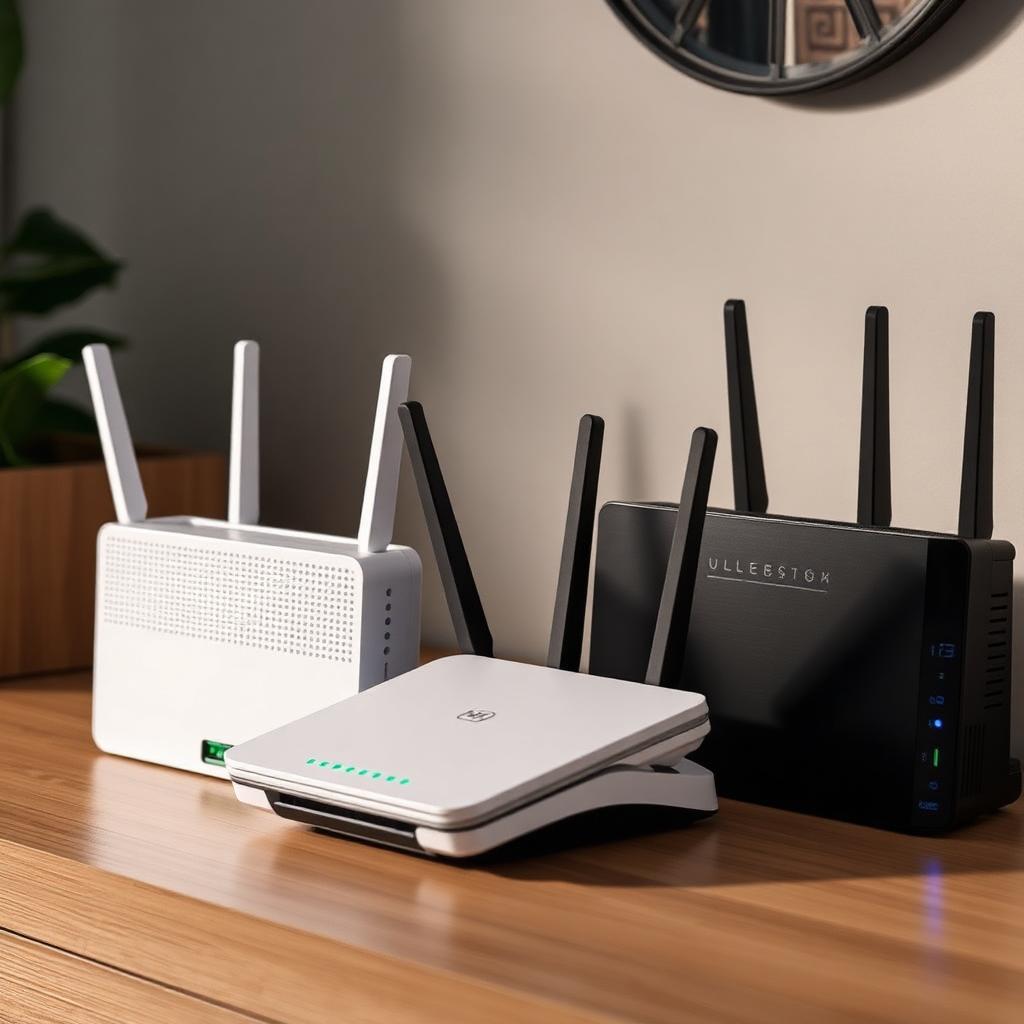
Most people spend more on their TV than their router, then wonder why their smart camera got hijacked. The router is the gatekeeper for every device in your home — phones, laptops, Ring cameras, baby monitors, smart locks. A weak router means everything behind it is exposed, regardless of how strong individual device passwords are.
What 'Secure Router' Actually Means in 2026
- WPA3 encryption (WPA2 is broken against patient attackers).
- Automatic firmware updates — most consumer routers go un-patched for years.
- Built-in threat intelligence (blocks known malicious domains at the DNS layer).
- Guest network + separate IoT VLAN (so a hacked smart bulb can't reach your laptop).
- Per-device parental controls and content filtering.
- Optional: built-in OpenVPN or WireGuard server for remote access without exposing ports.
The 12 Best Wi-Fi Routers (2026)
1. ASUS RT-AX88U Pro — Best Overall
AiProtection Pro powered by Trend Micro, free for the life of the router. WPA3, automatic firmware, per-device parental controls, built-in OpenVPN/WireGuard server. Our pick for most homes.
2. TP-Link Deco BE85 — Best Mesh (Wi-Fi 7)
Wi-Fi 7 tri-band mesh with HomeShield Pro for malicious-site blocking and IoT device profiling. Excellent for 3,000+ sq ft Miami homes with concrete walls.
3. Firewalla Gold Plus — Best for Power Users
Not a router itself — it's a smart firewall that sits between your modem and your existing AP. Deep packet inspection, ad blocking, device-level VPN routing, and the best mobile app in the category.
4. Netgear Orbi RBKE963 — Best Premium Mesh
Quad-band Wi-Fi 6E mesh with Netgear Armor (Bitdefender-powered). Pricey but absurdly fast and covers 9,000 sq ft.
5. ASUS ZenWiFi Pro XT12 — Best Tri-Band Mesh
Same AiProtection Pro as the RT-AX88U Pro in a mesh form factor. Great middle ground between Orbi and Deco.
6. Ubiquiti UniFi Dream Router — Best Prosumer
Built-in IDS/IPS, VLAN tagging, deep traffic analytics. Steeper learning curve but unmatched control.
7. Synology RT6600ax — Best for Multi-VLAN Homes
Native multi-SSID + VLAN support out of the box. Perfect for separating IoT, guests, and your main devices on the cheap.
8. eero Pro 6E — Best 'It Just Works' Mesh
eero Secure ($30/year) adds threat blocking and ad blocking. Auto-updates daily. Best UX of any consumer mesh.
9. GL.iNet Flint 2 (GL-MT6000) — Best Budget OpenWrt Router
OpenWrt under the hood, WireGuard/OpenVPN/Tor built-in, AdGuard Home. ~$200 and crushes routers twice the price for privacy.
10. TP-Link Archer AXE75 — Best Budget Wi-Fi 6E
HomeShield basic plan is free; pro features are paywalled. Good value at under $200.
11. Linksys Hydra Pro 6E — Best for Easy Setup
WPA3, automatic firmware, decent parental controls. Great pick for non-technical buyers who still want to do the basics right.
12. ASUS GT-BE98 Pro ROG Rapture — Best Gaming + Security
Wi-Fi 7, AiProtection Pro, GameFirst traffic shaping. Overkill but excellent if you also game on PC or console.
Routers to Avoid
- ISP-rented combo modem/routers (Xfinity, AT&T, Spectrum) — old firmware, weak default Wi-Fi passwords, ISP-managed = ISP-visible.
- Cheap no-name Amazon routers ($30–$60 Wi-Fi 6 'deals') — no automatic firmware updates, no WPA3.
- Any router that hasn't received a firmware update in the last 12 months.
Setup Checklist (Any Router)
- 1Change the default admin password immediately.
- 2Enable WPA3 (or WPA3/WPA2 mixed if you have older devices).
- 3Enable automatic firmware updates.
- 4Create a separate IoT/guest SSID for cameras, smart bulbs, and visitors.
- 5Disable WPS (Wi-Fi Protected Setup) — it has known crypto weaknesses.
- 6Disable remote management unless you actually need it.
- 7Set DNS to 1.1.1.2 (Cloudflare malware filtering) or 9.9.9.9 (Quad9).
If you want hands-on help locking down your home network, see our Miami home WiFi security guide or book a home security consult.
Get the 10-step Cyber Hardening Checklist
The exact steps our Miami team uses to lock down people and small businesses — takes under an hour. Instant access, no call required.
// frequently asked
Questions teams ask us
What's the most secure WiFi router in 2026?+
For most homes, the ASUS RT-AX88U Pro is the best balance of price, performance, and built-in security (WPA3, AiProtection Pro, automatic firmware updates, per-device controls). Power users prefer pairing a Firewalla Gold Plus with a UniFi or ASUS access point for deep packet inspection.
Is WPA3 actually more secure than WPA2?+
Yes — significantly. WPA3 uses Simultaneous Authentication of Equals (SAE) which blocks the offline dictionary attacks that work against WPA2-PSK, and adds forward secrecy so capturing past traffic doesn't help if your password leaks later. Enable WPA3 on every device that supports it.
Should I use my ISP's router or buy my own?+
Buy your own. ISP routers are patched slowly, have weak default credentials, and most ISPs maintain backdoor management access. A $200 ASUS or TP-Link will outperform a Comcast xFi gateway on every security metric.
Do I need Wi-Fi 7 for security?+
No. Wi-Fi 7 brings speed and lower latency, not new security features (WPA3 works on Wi-Fi 5/6/6E/7 equally). Upgrade to Wi-Fi 7 for performance; upgrade for security by picking a vendor that ships frequent firmware updates and WPA3.
// miami, fl services
Cybersecurity built for South Florida
// need help applying this?
Book a free, confidential consultation.
Our engineers can map this to your environment in 30 minutes.
Get secured// keep reading
Related articles
Home Security
Home Cyber Security Services in Miami: 2026 Guide
Learn what professional home cyber security services protect, what a Miami residential assessment includes, and how to choose qualified help for your household.
Home Security
Home Network Security in 2026: How South Florida Homeowners Can Protect Their Homes From Cyber Attacks
A complete home network security guide for South Florida homeowners: how hackers get into home Wi-Fi, cameras, and smart devices, the exact settings to change today, hurricane-season considerations, and a weekend hardening checklist.
Home Security
Home Title Theft in Miami (2026): How Deed Fraud Really Works and How to Protect Your Property
Home title theft is a real, documented crime in Florida — and Miami-Dade is one of its busiest markets. Here's exactly how a forged deed gets recorded, the free county alerts every homeowner should enroll in today, the warning signs of a stolen title, and the step-by-step recovery process if it happens to you.
Under attack right now? Our 24/7 line responds immediately.