
Threats & Scams
Social Engineering Attack Examples: 12 Real Scams Hitting Miami Businesses in 2026
Social engineering is behind more than 74% of breaches. This 2026 guide walks through 12 real social engineering attack examples — from CEO wire-fraud emails and vishing calls hitting Brickell finance teams to QR-code phishing in Wynwood coworking spaces — with the exact red flags, sample scripts, and Miami-specific defenses your team needs.
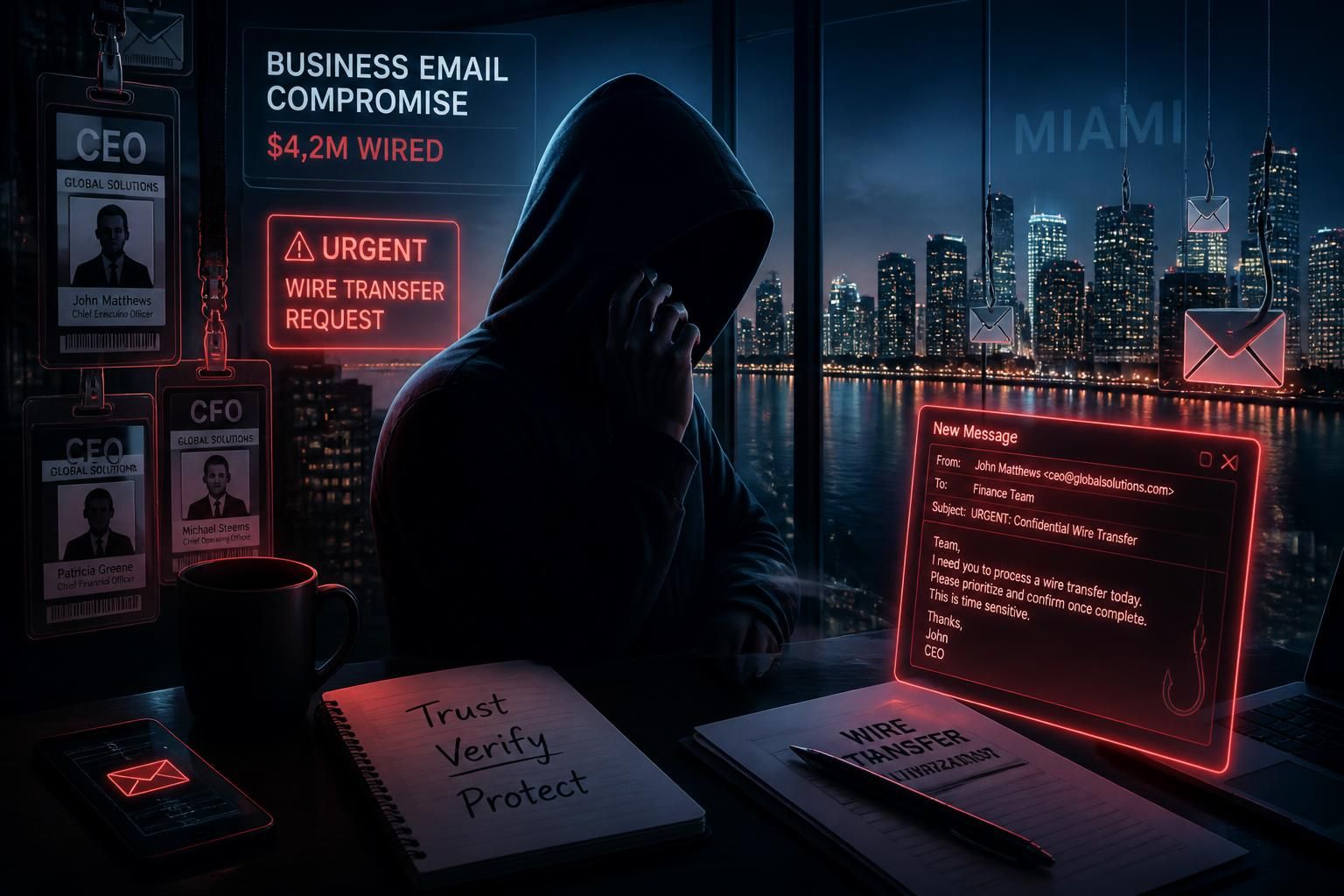
Firewalls don't get tricked. People do. The 2024 Verizon Data Breach Investigations Report attributes 68% of breaches to a non-malicious human element and finds a social engineering vector in the majority of financially-motivated intrusions. The FBI's Internet Crime Complaint Center (IC3) logged $2.9 billion in Business Email Compromise losses in 2023 alone — and Miami-Dade consistently ranks in the top five US metros for reported cyber-fraud losses, driven by the region's concentration of real estate, private banking, logistics, and international trade.
This guide walks through 12 real social engineering attack examples we've investigated or responded to for South Florida clients over the past 24 months. Names and identifiers are removed, but the scripts, red flags, and controls are exactly what you'll see in the wild in 2026. If you want to first understand the mechanics of email lures specifically, read our companion phishing email examples guide. For a full defensive baseline, pair this with the complete cybersecurity checklist for small businesses.
What is a social engineering attack?
A social engineering attack is any intrusion technique that manipulates a human into taking an action (sending money, sharing credentials, installing software, granting access) instead of exploiting a technical vulnerability. Attackers exploit universal psychological triggers — authority, urgency, fear, curiosity, reciprocity, and trust — usually combined with pretexting (a fabricated story) and impersonation (of a boss, vendor, bank, IT, or government agency).
The attack surface is anywhere a human can be reached: email, SMS, voice, video conference, LinkedIn, WhatsApp, Instagram DMs, a QR code taped to a parking meter in Brickell, or a person in a hi-vis vest walking into your Doral warehouse.
1. CEO wire fraud (Business Email Compromise)
The classic. An attacker registers a look-alike domain (cybrvau1t.com), spoofs the CEO's display name, and emails the CFO or a junior finance staffer with an urgent wire request during a moment the CEO is 'in a meeting' or 'traveling.'
"Hi Maria — I'm in back-to-back board meetings. I need you to wire $87,450 to a new supplier today for the Coral Gables deal. Send the confirmation to my personal Gmail since I'm off VPN. Don't loop anyone else in yet — the deal isn't public. Thanks — Alex"— Actual BEC lure sent to a Miami real-estate client, Q1 2026
Red flags
- Urgency + secrecy ("don't loop anyone in").
- Reply-to or sender domain doesn't match the internal one.
- Request to redirect confirmation to a personal email.
- New payee, new bank, or new payment channel.
The one control that stops it
Mandatory out-of-band verification for any wire, ACH, or vendor bank-detail change over a defined threshold ($5,000 is a common Miami SMB baseline). The verifier calls the requester on a known-good number — never a number in the email — before releasing funds. Pair with DMARC at `p=reject`.
2. Vendor invoice redirect
The attacker compromises a legitimate vendor's mailbox (or spoofs it), waits for a real invoice thread, then replies in-thread with 'updated wire instructions — please use these going forward.' Because the thread is real, the change of banking details slips past most humans.
Red flags
- Any change to vendor banking details, especially mid-thread.
- Wire destination in a state or country unrelated to the vendor.
- Slight domain mismatch (vendor.com vs vendor-corp.com).
The control
Bank-detail changes verified by phone to a number on the vendor's website or previous statement — never a number in the email. Add a vendor master data change process to your controls.
3. Vishing — the fake IT help-desk call
Attackers call a targeted employee, spoof caller ID as the internal help desk, and walk them through 'resetting their VPN' — which really means installing a remote access tool (ScreenConnect, AnyDesk, TeamViewer) and handing over MFA codes. This is how the 2023 MGM breach started.
"Hi, this is Chris from IT. We're seeing repeated login failures on your account from a Kendall IP — we need to lock it before it locks itself. I'm going to have you go to fastsupport.help and enter code 483-291 so I can push the fix."— Vishing script recorded during a Cybrvault tabletop, Q4 2025
Red flags
- Unsolicited call from 'IT' asking you to install anything.
- Any request for a full MFA code, push approval, or password.
- Pressure tactics ("if we don't fix this in 5 minutes your account locks").
The control
A published, one-line rule everyone knows: IT will never call you and ask you to install remote-access software or read out an MFA code. Combine with phishing-resistant MFA (FIDO2/passkeys — see our passkeys vs passwords guide) so a leaked code is useless.
4. Smishing — the fake bank / delivery SMS
A text message from 'Chase Fraud' or 'USPS' asking you to confirm a suspicious charge or reschedule a delivery via a link. The link loads a pixel-perfect clone of the real site — often hosted behind a `.top`, `.xyz`, or free-hosting subdomain — and harvests credentials plus the MFA code.
Red flags
- SMS from a random 10-digit number (real bank alerts use short codes).
- Link uses a URL shortener or an unfamiliar TLD.
- The site asks for MFA code plus password plus SSN on one page.
The control
Never tap links in unexpected SMS. Open the bank/carrier app directly. Enterprise: enforce mobile MDM that blocks known smishing infrastructure, and train staff with our how to check if a link is safe guide.
5. MFA fatigue (push bombing)
The attacker already has the password (from an infostealer log or a breach dump — check with our email on the dark web guide) and hammers the target with dozens of push notifications at 2 AM until they tap 'Approve' just to make it stop. This is how a large ride-share company was breached in 2022.
The control
Move off SMS and simple push MFA. Deploy number matching (Microsoft Authenticator / Duo Verified Push) at minimum, and phishing-resistant FIDO2 / passkeys / YubiKey for admins and finance.
6. QR-code phishing ("quishing")
A PDF attachment, printed poster, restaurant table tent, or parking meter sticker shows a QR code that redirects to a credential-harvesting page — often a Microsoft 365 login clone. QR codes bypass most email URL scanners because the URL is inside an image.
We've seen this hit Miami coworking spaces (Wynwood, Brickell) via stickers slapped over legitimate Wi-Fi QR codes on cafe tables.
The control
Deploy an email security gateway that OCRs QR codes (Proofpoint, Abnormal, Microsoft Defender for Office 365 Plan 2 all do this in 2026). For public spaces, treat any QR code you didn't personally source as untrusted — type the URL, don't scan.
7. Pretexting — the 'new employee' onboarding scam
An attacker researches LinkedIn, finds a recent hire announcement, then emails HR or IT posing as that new employee: 'Hi, day one here, my laptop hasn't arrived, can you send my temporary credentials to my personal Gmail so I can start onboarding?' Works especially well in high-growth Miami firms doing rapid hiring.
The control
All credential delivery goes to a verified corporate channel (encrypted PDF to a corporate address, secure enrollment portal, or in-person pickup). No credential ever leaves via personal email.
8. Deepfake voice / video (AI-powered CEO fraud)
In 2024 a Hong Kong finance clerk wired $25 million after a video call with a deepfaked CFO and 'colleagues.' The tech is now cheap enough that any target with 30 seconds of LinkedIn video is at risk. See our full breakdown in the AI voice scams guide.
The control
Codewords for high-value requests. Callback verification on a pre-agreed number. Live-face challenges ("turn your head and touch your ear") during video calls that authorize money movement — most 2026 deepfake pipelines still break on unusual head angles.
9. Consent phishing (OAuth app abuse)
Instead of stealing a password, the attacker sends a Microsoft 365 / Google Workspace consent screen for a malicious 'productivity app' that requests `Mail.ReadWrite`, `Files.Read.All`, and offline access. The user clicks Accept, MFA is irrelevant, and the attacker now has persistent access to their mailbox — often silently exfiltrating for weeks.
The control
In Microsoft 365: disable user consent for unverified apps (Entra ID → Enterprise Apps → Consent and permissions) and require admin approval for any third-party OAuth app. Google Workspace has the equivalent under App Access Control.
10. Physical tailgating & badge cloning
In-person social engineering still works — a hi-vis vest, a coffee tray, and a 'can you hold the door?' beats most Miami office building access controls. Once inside, an attacker plants a rogue Wi-Fi device, drops USB baits in the break room, or shoulder-surfs an unlocked laptop.
The control
Positive-visitor identification at reception. No tailgating on badge readers (mantrap or anti-passback). Locked screens after 5 minutes idle. Removable-media policy that disables USB by default.
11. LinkedIn / recruiter lure targeting engineers
North Korean and Iranian threat actors run long-running LinkedIn campaigns posing as recruiters at desirable companies, then send a 'coding challenge' PDF or ZIP that installs malware on the developer's laptop — with access to the corporate GitHub, cloud, and CI/CD. Miami's growing tech scene (Brickell, Wynwood, Miami Beach) is a target-rich environment.
The control
Never open recruiter attachments on a work device. Do coding challenges in a disposable VM or a Codespaces/Replit sandbox. Verify recruiters via the target company's official careers page — not via the LinkedIn message.
12. Watering-hole via local news / community sites
Attackers compromise a legitimate site the target community visits — a South Florida industry association, a local news blog, a chamber of commerce site — and drop a browser exploit or a fake 'update your browser' prompt. Miami's tight-knit vertical communities (marine, real estate, aerospace) make watering-hole attacks unusually effective here.
The control
Keep browsers on auto-update. Deploy EDR that blocks browser-delivered payloads (SentinelOne, CrowdStrike, Defender for Endpoint P2). Isolate untrusted browsing in a sandboxed profile or a service like Cloudflare Browser Isolation.
The 8 red flags that show up in almost every social engineering attack
- 1Urgency — 'in the next 30 minutes,' 'before end of day,' 'or the deal dies.'
- 2Authority — a name-drop of the CEO, CFO, a bank, or a government agency.
- 3Secrecy — 'don't loop in anyone else,' 'confidential deal,' 'quiet acquisition.'
- 4Unusual channel — a request that jumps from a normal channel (Slack, corporate email) to a personal one (Gmail, WhatsApp, personal cell).
- 5Emotional trigger — fear ("your account is compromised"), curiosity ("see attached invoice"), greed ("refund waiting").
- 6New payee, new instructions — any first-time payment, new bank details, or new vendor contact.
- 7Look-alike domain — one character off, extra hyphen, different TLD.
- 8Ask for a code, click, install, or approve — the payload is always an action.
The 10-control social engineering defense stack (Miami SMB baseline)
- 1DMARC at `p=reject`, SPF `-all`, DKIM signing on every sending domain.
- 2Advanced email security (Microsoft Defender for O365 P2, Proofpoint, Abnormal, or Mimecast) with QR/image analysis and impersonation protection.
- 3Phishing-resistant MFA (FIDO2 / passkeys / YubiKey) for admins, finance, and executives.
- 4Number-matching MFA for everyone else — no SMS, no simple push.
- 5Mandatory out-of-band verification for any money movement or vendor bank-detail change over a defined threshold.
- 6Disabled user consent for third-party OAuth apps in Microsoft 365 / Google Workspace.
- 7EDR on every endpoint (SentinelOne, CrowdStrike, Defender for Endpoint P2).
- 824/7 SOC / MDR — most successful attacks are detected in the follow-on activity, not the initial lure. See our 24/7 monitoring page.
- 9Quarterly phishing/vishing simulations with role-based follow-up training.
- 10A written incident response plan with the incident channel, decision-makers, and legal counsel documented — see our data breach response plan guide.
Why Miami businesses get hit harder than the national average
Three reasons show up in every Miami-Dade case we investigate: (1) a high concentration of real estate, private banking, and international trade — all high-dollar wire environments; (2) rapid firm growth and turnover, which breaks the 'I recognize this person's voice' human control; (3) cultural and language variety that attackers exploit by tailoring lures in Spanish, Portuguese, and English simultaneously. If you handle wires above $50k or CUI/PHI/PII, you should assume you are a named target — not a bystander.
How Cybrvault helps Miami businesses defend against social engineering
Cybrvault runs email security hardening, phishing simulations, executive impersonation monitoring, vishing tabletops, and 24/7 SOC monitoring for South Florida businesses across Brickell, Doral, Coral Gables, Aventura, and Fort Lauderdale. If a suspicious email, text, or wire request is in front of you right now, call us — we do rapid triage the same day.
Book a free social engineering risk review: /contact. We audit your email authentication, MFA posture, wire-approval workflow, and OAuth app consent, and give you a prioritized 30-day hardening plan. For ongoing defense, see our cybersecurity services in Miami and ethical hacking / red team engagements.
Get the 10-step Cyber Hardening Checklist
The exact steps our Miami team uses to lock down people and small businesses — takes under an hour. Instant access, no call required.
// frequently asked
Questions teams ask us
What is a social engineering attack?+
A social engineering attack manipulates a person into taking an action — sending money, sharing credentials, installing software, or granting access — instead of exploiting a technical software vulnerability. Common forms include phishing emails, vishing (voice) calls, smishing (SMS), pretexting, and in-person impersonation, and they succeed by exploiting authority, urgency, fear, curiosity, and trust.
What are the most common social engineering attack examples in 2026?+
The most common examples we see hitting Miami businesses are: CEO wire-fraud emails (BEC), vendor invoice redirects, IT help-desk vishing calls, smishing texts posing as banks or USPS, MFA fatigue push bombing, QR-code phishing, OAuth consent phishing in Microsoft 365, deepfake voice/video CEO fraud, and LinkedIn recruiter lures targeting engineers.
How much do social engineering attacks cost businesses?+
The FBI IC3 reported $2.9 billion in Business Email Compromise losses in 2023 alone, with an average loss per successful BEC of over $137,000. Ransomware — most of which starts with a social engineering vector — averages $1.85 million in total incident cost per victim according to IBM's Cost of a Data Breach report.
What is the single best defense against social engineering?+
There isn't one single control, but the highest-ROI single change for most Miami small and mid-size businesses is mandatory out-of-band verification (a phone call to a known-good number) for any wire, ACH, vendor bank-detail change, or credential reset over a defined dollar or privilege threshold. Pair that with phishing-resistant MFA (FIDO2 / passkeys) for admins, finance, and executives.
How can I train my employees to spot social engineering?+
Quarterly phishing simulations plus at least one live vishing (voice) simulation per year, with immediate, non-punitive, role-based follow-up training for anyone who fails. The training should focus on the eight red flags — urgency, authority, secrecy, channel switch, emotional trigger, new payee, look-alike domain, and any ask to click/install/approve — not on memorizing threat names.
Does MFA stop social engineering?+
Basic SMS or push-approval MFA stops password reuse attacks but does not stop MFA fatigue, real-time phishing proxies, or vishing that harvests one-time codes. Phishing-resistant MFA (FIDO2 security keys or passkeys) is the current gold standard because the credential is cryptographically bound to the legitimate domain and cannot be replayed to a fake site.
What should I do if I think I've been social engineered?+
Act within the first hour: (1) if money moved, call the sending bank's wire recall / fraud line immediately and file an FBI IC3 report — recovery odds drop sharply after 72 hours; (2) reset the affected credentials and revoke active sessions and OAuth grants; (3) preserve the original email, headers, and any voicemail; (4) engage your IR provider or call Cybrvault. Then follow your written incident response plan.
// miami, fl services
Cybersecurity built for South Florida
// need help applying this?
Book a free, confidential consultation.
Our engineers can map this to your environment in 30 minutes.
Get secured// keep reading
Related articles
Threats & Scams
What Is Vishing? The 2026 Guide to Voice Phishing Scams, Red Flags & How to Stop Them
Vishing (voice phishing) is the fastest-growing scam of 2026 — AI-cloned voices, spoofed bank numbers, fake IRS agents and callback traps. This guide breaks down exactly how vishing works, the 10 scripts scammers use right now, how to spot a vishing call in under 15 seconds, and the step-by-step response Cybrvault's Miami team uses when a client falls for one.

Managed IT
IT Support in Miami (2026): Costs, Response Times & How to Pick the Right Provider
What IT support actually costs in Miami in 2026, the response times you should demand in writing, the difference between break-fix and managed IT, the security controls every provider should include by default, and the exact questions to ask before you sign.
Home Cybersecurity
Ring Camera Hacked? The 2026 Miami Homeowner's Guide to Detecting, Fixing & Preventing a Smart Home Breach
A step-by-step 2026 guide for Miami homeowners who think their Ring, Nest, Blink, Wyze, Arlo or Eufy camera has been hacked — how to confirm it, lock the attacker out in the next 15 minutes, and harden every smart home device on your Wi-Fi so it never happens again.
Under attack right now? Our 24/7 line responds immediately.