
Home Security
Home Security Audit (2026): The South Florida Homeowner's Room-by-Room Checklist
A complete 2026 home security audit for South Florida homeowners — a room-by-room physical walkthrough plus a full home cybersecurity checklist covering your router, cameras, smart locks, accounts and personal data. Includes a scoring system, what a professional home security assessment costs in Miami-Dade, Broward and Palm Beach, and how to fix the highest-risk findings first.
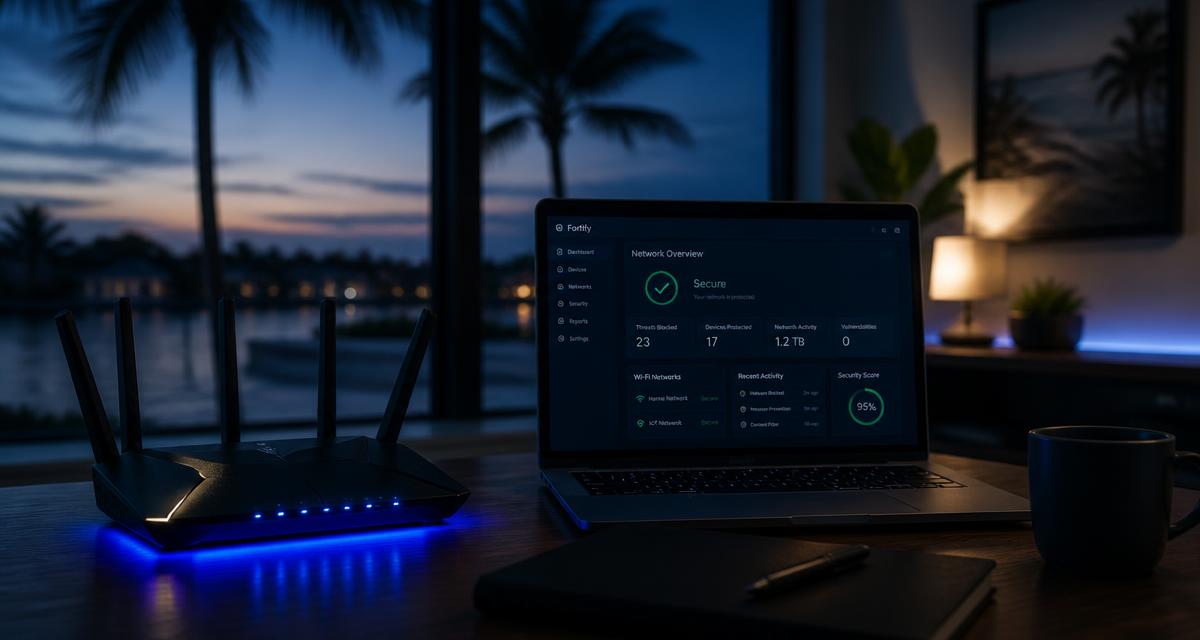
Most homeowners think of a home security audit as someone walking the property and checking whether the back door lock is solid. That was a complete audit in 2005. In 2026 the average South Florida home has a Wi-Fi router, four to twelve internet-connected devices, at least one camera, often a smart lock or garage opener, and a household whose names, purchase price and floor plan are all sitting in public county records. The digital half of your home is now the easier half to break into, and it is the half almost nobody checks.
This guide is the audit we run for clients, written so you can perform it yourself in an afternoon. Work through it in order, score each section, and fix the highest-weighted failures first. Everything here applies anywhere, but the risk commentary is specific to Miami-Dade, Broward and Palm Beach.
What a home security audit actually is
A home security audit is a structured review of every way a person could gain unauthorized access to your home, your home network, or the information that would let them target either. A complete audit covers five domains:
- Perimeter and entry points — doors, windows, garage, sliders, fencing, gates, lighting and sightlines
- Detection and response — alarm system, sensors, cameras, monitoring, and who actually gets the alert
- Network — router, Wi-Fi configuration, segmentation, firmware, and unknown devices
- Connected devices and accounts — cameras, locks, doorbells, thermostats, hubs, and the cloud accounts that control them
- Personal exposure — what a stranger can learn about your household from public records, data brokers, social media and past breaches
A home security assessment performed by a company usually means the same thing with a written report, a risk rating per finding, and a remediation plan. The distinction people care about is whether the assessor also tests the network — many alarm companies do not, and that is where the gap usually is.
"In the last two years of South Florida home engagements, the way in was almost never a forced door. It was a default router password, a camera account with no two-factor, or a Wi-Fi key that a dozen former guests still had."— Cybrvault home security team
Before you start: what you need
- 1A phone or notepad to record findings as you go — do not try to remember them
- 2A device connected to your home network, ideally by Ethernet cable
- 3A password manager open, because this audit will produce eight to fifteen credentials that need to change
- 4Roughly two to three hours, or split it: physical walkthrough one evening, digital audit the next
- 5Access to every account that controls a device in the house (Ring, Nest, eero, Xfinity, SimpliSafe, ADT, August, Wyze, and so on)
Part 1 — The physical walkthrough (30 points)
Walk the property the way someone casing it would: from the street, at night, then again in daylight. Score one point per item you can honestly answer yes to.
Doors and entry points (10 points)
- Every exterior door has a deadbolt with a bolt at least one inch long
- Strike plates are secured with three-inch screws into the door frame stud, not the trim
- Exterior doors are solid core or metal, not hollow core
- Sliding glass doors have both a working latch and a secondary bar, pin or track lock — critical in South Florida, where sliders are the most common ground-floor entry
- Door hinges on outward-opening doors have non-removable or pinned hinge pins
- Garage entry door into the house locks and is treated as an exterior door
- The garage emergency release cord cannot be reached with a coat hanger through the top of the door
- No spare key is hidden outside — under a mat, in a fake rock, on a door frame ledge, or in an unlocked keypad box
- Mail and packages are not left visible at the door for hours (locker, camera-covered spot, or hold service)
- Gates, side yards and pool cages latch and are not a quiet path to the rear of the property
Windows, lighting and sightlines (10 points)
- All ground-floor and accessible second-floor windows lock, and the locks are actually engaged
- Impact glass or shutters are present — they resist forced entry as well as storms
- Landscaping does not screen windows or doors from street view; hedges under windows are trimmed below sill height
- Motion-activated lighting covers the front, rear and side approaches
- House number is visible from the street at night so responders find you fast
- No ladders, patio furniture or trash bins are stored where they give access to a second floor or balcony
- Air conditioning units, generators and pool equipment are secured or visible
- Valuables (safes, electronics, keys, tools) are not visible through windows or the open garage
- Interior lighting is on timers or smart schedules when the property is empty
- The property does not obviously signal absence — no accumulated mail, uncollected bins, or unmown lawn
Alarm, cameras and response (10 points)
- An alarm system exists, is armed routinely, and every household member knows the code and the duress procedure
- Sensors cover all exterior doors and the most accessible windows, plus at least one interior motion sensor
- The panel has cellular backup, not just internet — hurricane season takes internet down regularly here
- Battery backup is tested and less than three years old
- Cameras cover every entry point, with at least one at face height rather than only roofline overview shots
- Camera recordings are retained somewhere off-site or in the cloud, not only on a local card that a burglar can take
- Video quality is good enough at night to identify a face, not just detect motion
- Alerts go to more than one person, and someone actually responds to them rather than dismissing them
- You have tested the whole chain in the last twelve months: trip a sensor, confirm the alert, confirm monitoring calls
- You know your local response reality — in much of Miami-Dade and Broward, unverified alarms are low priority, so camera verification materially changes response time
Part 2 — The network audit (30 points)
This is the section that gets skipped and the section where we find the most. Log into your router before you begin — see how to change your router password if you cannot get in.
Router configuration (15 points)
- The router admin password has been changed from the factory default and is unique — this is the highest-value single item in the entire audit
- The Wi-Fi password is at least 16 characters and has not been shared with guests, contractors, tenants or former residents
- Security mode is WPA3-Personal, or WPA2-PSK (AES) if any device is too old for WPA3 — never WEP, TKIP or Open
- WPS push-button pairing is disabled
- Remote management / WAN administration is disabled
- UPnP is disabled unless a specific application requires it
- Automatic firmware updates are enabled, and the current firmware is less than a year old
- The router itself is less than five years old and still receiving vendor security updates
- DNS settings point where you expect — not to an unfamiliar IP address someone else configured
- No unexplained port forwarding rules exist
- The connected-device list contains nothing you cannot identify, and known devices are renamed for future reviews
- A separate guest network exists and is the only network guests are ever given
- Cameras, doorbells, plugs, TVs, vacuums and thermostats live on a guest or IoT network, isolated from laptops, phones and any NAS
- The Wi-Fi network name does not reveal your surname, unit number or address
- The router is physically inside the home, not in an unlocked exterior utility closet — common in South Florida condo and townhouse layouts
If several of these fail, work through how to secure your home Wi-Fi before continuing. If anything looks actively wrong — unknown devices, changed DNS, mystery port forwards — read how to know if your home Wi-Fi is hacked and treat this as an incident, not a checklist item.
Computers, phones and backups (15 points)
- Every computer and phone is running a currently supported OS version with automatic updates on
- Full-disk encryption is enabled (BitLocker on Windows, FileVault on macOS, on by default on modern phones)
- Every device has a screen lock with a PIN of six digits or more, or biometrics
- Reputable security software is active on Windows machines and is actually updating
- Home routers, printers and NAS devices are not exposed to the internet
- Backups exist for anything irreplaceable, and at least one copy is off-site or in the cloud
- You have tested restoring a file from that backup in the last year
- Browsers are updated and unused extensions have been removed
- The household uses a password manager rather than reused passwords
- Two-factor authentication is on for email, banking and cloud storage — email first, because it resets everything else
- Passkeys are in use where offered; see passkeys vs passwords
- Old devices that left the household were wiped before being sold, donated or handed down
- Work devices used at home are on the isolated network if your employer allows it, and are not shared with family
- Children's and guests' devices are on the guest network
- Nobody in the household uses public or building-provided Wi-Fi for banking without a VPN
Part 3 — Smart home and camera accounts (20 points)
Almost every smart home compromise we investigate is an account compromise, not a device hack. The camera did not get broken into; someone logged in with a password that had leaked from an unrelated breach.
- Every smart home account (camera, doorbell, lock, thermostat, hub, vacuum, alarm app) has a unique password stored in a password manager
- Two-factor authentication is enabled on all of them, especially camera and lock accounts
- You have reviewed the shared-user list on each account and removed installers, former partners, past tenants, cleaners and old guests
- Old app-specific or API keys and 'linked services' you no longer use have been revoked
- Device firmware is current on cameras, locks and hubs
- Cameras are positioned to cover entry points, not interiors where a compromise becomes a privacy catastrophe
- No camera points at a neighbor's private space — a Florida legal exposure as well as a courtesy issue
- Indoor cameras can be disabled or have privacy shutters, and are off when the household is home if that matters to you
- Smart locks have unique per-person access codes rather than one shared code, and codes are revoked when access ends
- Temporary codes are used for cleaners, contractors and short-term guests, with expiry dates
- The garage opener and any gate access are treated as locks and audited the same way
- Voice assistants are not able to unlock doors or disarm the alarm by voice alone
- Any device from an unknown or discontinued brand has been replaced — abandoned firmware never gets patched. See best Amazon smart home security devices for vetted options
- You know what happens to each device during an internet or power outage, which matters through hurricane season
- Cloud video retention is long enough to be useful — 24 hours is not, 30 days is
- You would receive an alert if a lock were opened at 3 a.m., and you know who else receives it
- The alarm and camera accounts are not tied to an email address that has appeared in a breach
- If a camera has ever behaved oddly, you have worked through what to do if a Ring camera is hacked
- Devices no longer in use have been removed from the account and unplugged, not left online and forgotten
- One person in the household is clearly responsible for these accounts and reviews them twice a year
Part 4 — Personal exposure (20 points)
The final domain is what someone can learn about you before they ever approach the property. In Florida this is unusually easy: property records, sale prices, corporate filings and voter data are all public and free to search. Combine that with data broker profiles and old breaches, and a stranger can assemble your address, household members, phone numbers, employer and approximate wealth in about ten minutes.
- You have searched your own name and address and know what comes back
- You have opted out of the major data brokers, or use a removal service that does it continuously
- Household email addresses have been checked against known breaches, and any reused password has been changed
- Social media does not broadcast travel in real time — post after returning, not during
- Photos posted publicly do not reveal alarm panels, keypads, safes, floor plans or license plates
- Package deliveries do not sit visible at the door displaying your name and buying habits
- Home address is not used publicly for a business registration where a registered agent or mailbox would do
- Household members know not to confirm details to unsolicited callers — see what is vishing
- Children in the household understand not to share the address, school or travel plans in games and group chats
- Contractors, cleaners and dog walkers are vetted, and their access is time-limited and logged
- You are alert to AI voice cloning of family members; agree on a household code word. See AI voice scams
- You know whether your household appears on any dark web listing — see dark web monitoring
- Mail is secured, and sensitive documents are shredded rather than binned
- Physical documents with account numbers, passports and titles are in a bolted-down safe
- You have an emergency plan the whole household knows: what to do on an alarm, a break-in, a suspicious visitor
- Neighbors or a trusted contact watch the property when it is empty for weeks — routine for seasonal South Florida residents
- Your insurance inventory is current and stored somewhere that survives the house
- You know the difference between a legitimate utility or ISP visit and a pretext, and verify by calling the published number
- If you run a business, personal and business risk are separated — see personal cybersecurity for business owners
- Identity monitoring or a credit freeze is in place; see how to prevent identity theft
Scoring your audit
Add your points across all four parts for a score out of 100.
- 90–100 — Strong. Re-audit annually and after any change of resident, contractor or device.
- 75–89 — Good, with specific gaps. Fix the failed items in the network and account sections first; those are the cheapest and highest impact.
- 60–74 — Meaningful exposure. There is likely at least one open path today. Work the priority list below this week.
- Below 60 — Treat this as urgent. Assume the Wi-Fi key and at least one account credential are already outside the household, and start with the router.
Fix these first: the highest-impact hour
If you do nothing else from this guide, do these seven things. Together they take about an hour, cost nothing, and close the majority of the paths we actually see used.
- 1Change the router admin password to a unique 16+ character passphrase and store it in a password manager
- 2Turn on two-factor authentication for your primary email account, then your camera and smart lock accounts
- 3Set Wi-Fi to WPA3 (or WPA2-AES), and disable WPS and remote management
- 4Move every camera, doorbell, plug and TV onto a guest or IoT network
- 5Review shared users and access codes on every lock and camera account, and revoke everyone who should no longer have access
- 6Change the Wi-Fi password if it has ever been given to a guest, tenant or contractor, and use the guest network from now on
- 7Add a secondary lock or bar to every sliding glass door
Why South Florida changes the risk math
The same checklist applies everywhere, but a few local conditions consistently push South Florida households into the failing bands:
- Condo and townhouse density means dozens of overlapping networks and shared utility closets, so a router sitting in an unlocked exterior cabinet is genuinely reachable by strangers.
- Short-term rental turnover across Miami Beach, Brickell, Fort Lauderdale and Boca Raton means Wi-Fi keys and lock codes accumulate former holders faster than anywhere else.
- Seasonal residency leaves large numbers of homes empty for months, which rewards absence signals and makes off-site video retention and cellular alarm backup non-optional.
- Hurricane season cycles power and internet repeatedly. Anything that fails open — a smart lock, a camera, an internet-only alarm panel — fails at the worst possible time.
- Florida's public property records make sale prices and owner names trivially searchable, which is why the personal exposure section carries as much weight here as the door hardware.
For neighborhood-level context on where these conditions vary across the county, see the safest neighborhoods in Miami.
What a professional home security assessment costs
Pricing in Miami-Dade, Broward and Palm Beach generally falls into three tiers:
- $0 — a free walkthrough from an alarm company. Useful for hardware gaps, but it is a sales visit and it will not test your network.
- $450–$795 — an independent physical and digital audit of a single-family home or condo, with a written report and prioritized remediation list.
- $995–$1,850+ — a full assessment for larger or higher-profile properties, adding network penetration testing, smart device firmware review, data broker removal, and an executive-protection style exposure report.
The question worth asking any provider is simple: does the assessment include testing the home network and the smart device accounts, or only the doors and cameras? If it is only the latter, you are auditing half the house.
Cybrvault performs both halves in one visit across Miami home security and personal security engagements, and delivers a scored report with the same structure as this guide. If you would rather start smaller, run the free scan on our homepage or book a consultation.
How often to re-audit
Annually is the baseline. Re-audit immediately after any of these events: a resident moves out, a relationship ends, a contractor or cleaner finishes a job, a short-term rental period ends, you buy the property, you replace the router or alarm, a household email appears in a breach, or you notice anything unexplained on the network or in a camera feed.
Get the 10-step Cyber Hardening Checklist
The exact steps our Miami team uses to lock down people and small businesses — takes under an hour. Instant access, no call required.
// frequently asked
Questions teams ask us
What is a home security audit?+
A home security audit is a structured review of every way someone could gain unauthorized access to your home, your home network, or the information needed to target either. A complete 2026 audit covers five domains: physical entry points, alarm and camera detection, network and router configuration, smart device and cloud accounts, and personal data exposure through public records, data brokers and past breaches.
How do I do a home security audit myself?+
Walk the property from the street at night and in daylight scoring doors, windows, lighting and camera coverage; then log into your router and verify the admin password, WPA3 encryption, disabled WPS and remote management, current firmware, the connected device list and IoT segmentation; then review every smart home account for unique passwords, two-factor authentication and stale shared users; finally search your own name and address to see what a stranger can find. Score each section and fix the router and account failures first.
How much does a professional home security assessment cost in Miami?+
In Miami-Dade, Broward and Palm Beach, an independent physical and digital assessment of a single-family home or condo typically runs $450–$795 with a written report, rising to $995–$1,850 or more for larger properties or when network penetration testing, smart device review and personal data removal are included. Free assessments from alarm companies cover hardware only and are sales visits.
What is the single most important item on a home security checklist?+
Changing the router's admin password from its factory default to a unique passphrase. Someone with router admin access can redirect your DNS, open ports into cameras and storage, read your Wi-Fi key in plain text and stay resident through any device reset — and default credentials for nearly every consumer router model are published in public lists.
Do smart home devices make a house less secure?+
They add capability and risk at the same time. Cameras, doorbells and smart locks materially improve detection and evidence, but each one adds a cloud account that can be compromised with a reused password. The devices themselves are rarely hacked directly; the accounts are. Unique passphrases, two-factor authentication on every account, revoked stale users, current firmware and a separate IoT network resolve most of that risk.
How often should I redo a home security audit?+
At least once a year, and immediately after any change in who has access — a resident moving out, a relationship ending, a contractor or cleaner finishing, a rental period ending, buying the property, replacing the router or alarm, or a household email appearing in a breach notification.
What makes home security different in South Florida?+
Five local conditions raise the risk: condo density with shared utility closets and overlapping networks, high short-term rental turnover that accumulates former Wi-Fi and lock code holders, seasonal residents leaving homes empty for months, hurricane season repeatedly cycling power and internet so anything failing open fails at the worst time, and Florida's public property records making owner names and sale prices trivially searchable.
// miami, fl services
Cybersecurity built for South Florida
// need help applying this?
Book a free, confidential consultation.
Our engineers can map this to your environment in 30 minutes.
Get secured// keep reading
Related articles
Home Security
Smart Home Security (2026): The South Florida Setup, Audit & Hardening Guide
A complete 2026 guide to smart home security for South Florida homeowners — how smart cameras, locks, doorbells, sensors and hubs actually get compromised, how to design a system that holds up, a 40-point hardening audit you can run tonight, realistic equipment and monitoring costs in Miami-Dade, Broward and Palm Beach, and what to do the moment a device or account is breached.
Home Security
How to Secure Your Home WiFi Network: A Complete Guide for Miami Homeowners
A step-by-step home WiFi security guide for Miami homeowners — router hardening, WPA3, guest networks, IoT segmentation, smart-home protection, and the local threats (storm-season scams, vacation rental sniffing, condo neighbor attacks) that make South Florida households uniquely exposed.
Home Security
How to Change Your Router Password (2026): Step-by-Step Guide for Every Major Brand
A complete 2026 walkthrough for changing both router passwords — the Wi-Fi password and the far more important admin password — with exact steps for Xfinity, AT&T, Verizon, Netgear, TP-Link, ASUS, eero, Google Nest and Orbi, plus what to do if you are locked out and how Miami homes get compromised through routers.
Under attack right now? Our 24/7 line responds immediately.