
Home Cybersecurity
How to Set Up a Guest Wi-Fi Network (2026): The Miami Homeowner's Security Guide
Every smart TV, visitor's phone, and contractor's tablet you let onto your main Wi-Fi is a potential doorway into your laptops, cameras, and banking sessions. A guest network takes ten minutes to set up and isolates all of it. Here is exactly how to do it — router by router — plus the settings that actually matter for South Florida homes and home offices.
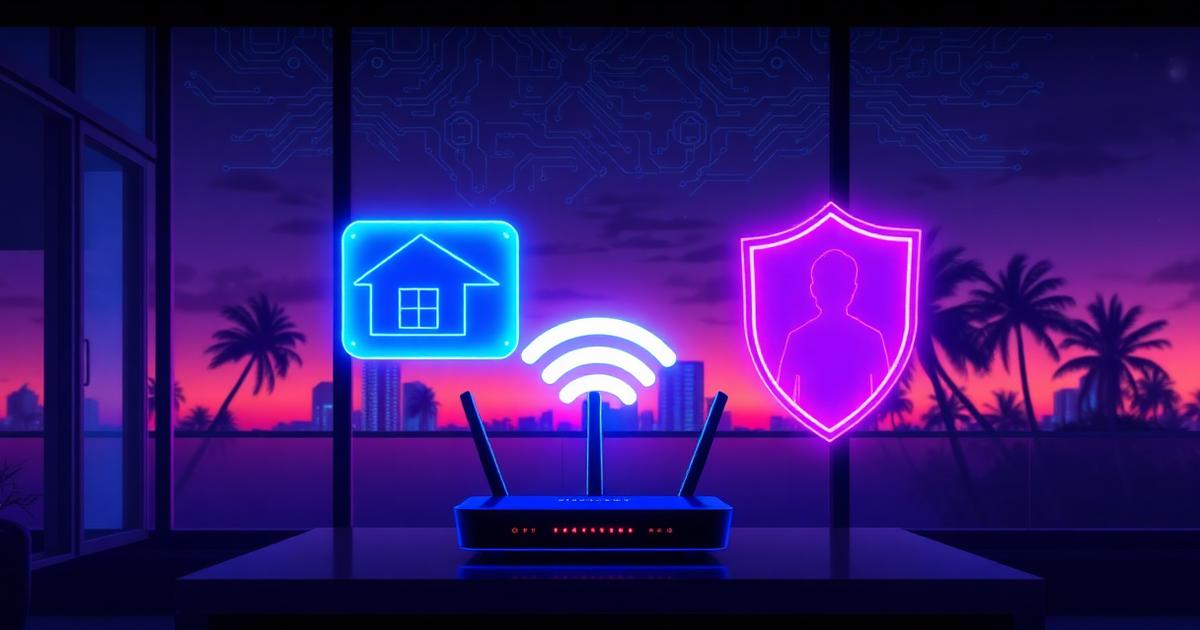
In our Miami home security audits, the single most common mistake we see isn't a weak password or an old router. It's this: everything in the house — the work laptop with client files, the $40 smart TV, the baby monitor, the Airbnb guest's phone from last weekend — all sitting on one flat Wi-Fi network. That means any one compromised device can see, scan, and attack all the others.
A guest Wi-Fi network fixes this in about ten minutes, for free, with hardware you already own. It creates a second, isolated Wi-Fi name on your existing router. Devices on it can reach the internet but not each other and not your primary network. This guide walks you through exactly how to set it up on every major router brand, which settings actually matter, and the Miami-specific wrinkles (condos, rentals, and hurricane-season power resets) that generic guides skip.
What a guest Wi-Fi network actually does
Your router broadcasts your main network (the SSID you connect your phone to). Nearly every router sold in the last eight years can broadcast a second, logically separate network at the same time. Traffic on the guest network goes straight to the internet and is blocked — at the router's firewall — from reaching devices on your main network.
- Visitors get internet access without ever seeing your computers, NAS drives, printers, or cameras.
- A guest's malware-infected phone can't scan your network for vulnerable devices.
- Cheap smart-home gadgets — the #1 source of home network compromises — get quarantined on their own segment.
- You can rotate the guest password freely without reconnecting a single one of your own devices.
- Many routers let you throttle guest bandwidth so visitors can't saturate your connection.
Why this matters more in Miami than most cities
Three things make network segmentation unusually important in South Florida. First, the sheer density of short-term rentals: if you host on Airbnb or Vrbo in Miami Beach, Brickell, or Wynwood, dozens of strangers' devices touch your network every month. Second, condo buildings with shared wiring and crowded 2.4 GHz airspace make it trivially easy for a neighbor to find and probe your network. Third, hurricane-season power interruptions cause budget routers to reboot — and some revert to factory defaults, silently disabling your guest network and firewall settings.
If you've already followed our guide to securing your home Wi-Fi, a guest network is the natural next layer. And if you're not sure your network is still in the state you think it is, our checklist for knowing if your home Wi-Fi has been hacked is a five-minute read.
Step 1: Log into your router
Open a browser on a device connected to your home network and go to your router's admin address. It's usually one of these:
- 192.168.1.1 or 192.168.0.1 (most Netgear, TP-Link, Linksys, Asus)
- 192.168.1.254 (AT&T gateways, common in Florida)
- 10.0.0.1 (Xfinity/Comcast gateways) — though Xfinity forces most settings through their app
- The router's app (Eero, Google Nest Wifi, Orbi, Deco, and most mesh systems are app-only)
The admin username and password are printed on the sticker on the router — unless you changed them, which you should. If you're still on the factory admin password, fix that first using our walkthrough on how to change your router password. An open admin panel makes every other setting pointless.
Step 2: Enable the guest network (router by router)
Netgear / Nighthawk
Go to Advanced → Guest Network (or Basic → Guest Network on newer firmware). Check 'Enable Guest Network' for both 2.4 GHz and 5 GHz bands. Set a network name and WPA2/WPA3 password. Critically, leave 'Allow guests to see each other and access my local network' UNCHECKED.
TP-Link / Archer / Deco
On Archer routers: Advanced → Guest Network, toggle it on per band, set the SSID and password, and enable 'Access Control' / 'Guest Isolation.' On Deco mesh systems: open the Deco app → More → Guest Network → enable and set credentials. Deco's guest network is isolated by default.
Asus
Go to Guest Network in the left sidebar, pick a band, click Enable. Set 'Access Intranet' to Disable — that's the isolation switch. Asus also lets you set time limits and bandwidth caps per guest network, useful for rentals.
Linksys
Smart Wi-Fi interface: Guest Access tile → toggle on, edit the name and password. Isolation is automatic — guest devices can only reach the internet.
Eero (Amazon)
Eero app → Settings → Guest Network → toggle on and set a name and password. Eero guest networks are isolated by design and there's no toggle to break it, which is exactly what you want.
Google Nest Wifi
Google Home app → Wi-Fi → Guest Network → set name and password. Isolation is on by default. Note: Nest Wifi's guest network allows casting to shared devices only if you explicitly enable it — leave that off for maximum isolation.
Xfinity / Comcast gateway (xFi)
Xfinity hides guest networking in the Xfinity app: Wi-Fi → Wi-Fi details → your network → 'Guest WiFi.' If your gateway doesn't offer it, the better fix is bridge mode plus your own router — you get full control and stop paying the monthly rental fee.
AT&T fiber gateway (BGW210 / BGW320)
Go to 192.168.1.254 → Home Network → Wi-Fi → Guest Wi-Fi. Enable it, set the SSID and password, and save. AT&T gateways keep guest traffic isolated automatically.
Step 3: The settings that actually matter
Enabling the guest network is the easy part. These five settings determine whether it genuinely protects you:
- 1Client isolation (sometimes 'AP isolation' or 'Access Intranet: Disable'). This is the entire point. Devices on the guest network must not be able to see each other or your main LAN. Verify it's on.
- 2WPA2-AES or WPA3 encryption on the guest network. Never leave a guest network 'open' — an open network in a dense Miami condo building is an invitation, and anything illegal done through it traces back to your IP address.
- 3A real password. 14+ characters, different from your main Wi-Fi password. You'll share it verbally, so make it pronounceable but not guessable — three random words plus a number works well.
- 4A name that doesn't identify you. Skip 'GarciaFamily-Guest.' Something neutral like 'CoconutGrove-Guest' or just 'GuestWiFi' gives away less to anyone scanning the area.
- 5Auto-off or scheduling if your router supports it. Airbnb hosts should disable the guest network between bookings; some routers let you schedule it.
"The average American home now has 20+ connected devices. Each one is a tiny computer with its own vulnerabilities — and most of them never get a security update after the day they're manufactured. Segmentation isn't paranoia; it's hygiene."— Cybrvault Home Security Team, Miami
Step 4: Move your smart-home devices onto it
Here's the move that turns a guest network from 'nice for visitors' into a real security boundary: put your IoT devices on it. Smart TVs, streaming sticks, smart speakers, robot vacuums, Wi-Fi light bulbs, connected appliances — all of these run outdated software, talk to servers overseas, and are the devices most likely to be compromised in your home. They need internet access, but they have zero legitimate reason to talk to your laptop.
One caveat: keep security cameras and video doorbells on your main network (or a dedicated third SSID if your router supports it), since you typically access their feeds from your phone on the main network. We covered the camera-specific risks in what to do if your Ring camera is hacked. For a full device-by-device segmentation plan, see our smart home security guide for South Florida.
Step 5: Verify the isolation actually works
Don't trust the checkbox — test it. Connect your phone to the guest network, then try to reach your router's admin page (192.168.1.1 or whatever yours is) and try to ping or browse to another device on your main network. Both should fail. If you can still reach the admin panel from the guest network, isolation isn't working — update your router firmware or consider replacing a router that can't isolate properly.
While you're at it, run our free AI-powered website and network security scan on your connection, and if you want a professional to verify the whole setup — router, cameras, laptops, and all — our home security audit covers every device in the house.
Special case: Miami Airbnb and short-term rental hosts
If you host short-term guests, a guest network isn't optional — it's your primary defense against a guest's compromised device (or a malicious guest) reaching your smart locks, cameras, and personal devices. Best practices for hosts:
- Rotate the guest Wi-Fi password monthly or after any checkout that felt off.
- Never put smart locks or security cameras on the same guest network guests use.
- Print the guest password on a card in the unit rather than texting it — fewer copies floating around in strangers' message histories.
- Enable bandwidth limits so a guest's torrenting doesn't tank your connection or draw ISP copyright notices to your address.
- Check your router's client list after each checkout for devices that shouldn't still be there.
Special case: working from home in South Florida
If you run a business from a home in Coral Gables, Doral, or Fort Lauderdale and handle client data — legal files, financial records, health information — a flat home network is a genuine compliance and liability problem. Guest network for family gadgets and visitors, main network for personal devices, and ideally a third segment (or VLAN on prosumer routers like Ubiquiti or Firewalla) exclusively for work devices. If your household setup has grown into de facto small-business infrastructure, that's exactly what our home cybersecurity and personal security services are built for.
When a guest network isn't enough
A guest network is one layer. It won't save you from a router with known, unpatched vulnerabilities (check for firmware updates quarterly), from weak passwords on the devices themselves, or from phishing — still the #1 way Miami families actually get compromised. Pair this setup with our guides on preventing phishing attacks and choosing security-hardened routers and devices, and your home network will be harder to breach than most small businesses.
Get the 10-step Cyber Hardening Checklist
The exact steps our Miami team uses to lock down people and small businesses — takes under an hour. Instant access, no call required.
// frequently asked
Questions teams ask us
Does a guest network slow down my main Wi-Fi?+
No — both networks share the same internet connection and radio, but the guest network's traffic only competes for bandwidth the way any second device would. Many routers let you cap guest bandwidth (e.g., 25 Mbps) so visitors and smart gadgets can never crowd out your work laptop or streaming.
Should I put my smart TV and IoT devices on the guest network?+
Yes, in most cases. Smart TVs, speakers, bulbs, and appliances run outdated software and are the most commonly compromised devices in a home. On an isolated guest network they keep internet access but can't reach your computers, phones, or files. The exception is security cameras, which you'll usually want reachable from your phone on the main network.
Is a guest network enough for an Airbnb or short-term rental?+
It's the essential minimum: it keeps guests' devices away from your smart locks, cameras, and personal computers. Rotate the guest password regularly, throttle guest bandwidth, keep security devices on a separate segment, and check the router's client list after checkouts.
What's the difference between a guest network and a VLAN?+
A guest network is a simplified, consumer-friendly version of network segmentation — one extra isolated SSID your router manages for you. A VLAN (virtual LAN) offers multiple fully separate network segments with granular firewall rules, typically on prosumer gear like Ubiquiti, Firewalla, or business-grade routers. For most homes, a guest network plus good passwords is enough; home offices handling sensitive client data should consider VLANs.
Can someone on my guest network hack my main network?+
Not through normal means — with client isolation enabled, guest traffic is firewalled off from your LAN. The realistic risks are a router with unpatched firmware vulnerabilities or accidentally enabling 'allow guests to access local network.' Keep firmware updated and verify isolation by trying to reach your router's admin page from the guest network; it should fail.
How much does it cost to have a professional set this up in Miami?+
Setting up a guest network yourself is free and takes about 10 minutes using the steps in this guide. If you want the whole home verified — router hardening, camera isolation, device inventory, and password audit — Cybrvault's home security audits in Miami-Dade and Broward start with a free consultation.
// miami, fl services
Cybersecurity built for South Florida
// need help applying this?
Book a free, confidential consultation.
Our engineers can map this to your environment in 30 minutes.
Get secured// keep reading
Related articles
Home Cybersecurity
Do Smart TVs Have Cameras? (2026) Who Can Watch You — and How to Lock Your TV Down
Most 2026 smart TVs no longer ship with a built-in camera — but nearly all of them ship with microphones, automatic content recognition and always-on network access. Here's how to check your exact model, what your TV is actually collecting, and the 12-step hardening routine we run in Miami homes.
Home Cybersecurity
How to Tell If Someone Is Using Your Wi-Fi (2026): The Miami Homeowner's Guide to Finding & Kicking Off Strangers
Slow internet, a router that blinks all night, devices you don't recognize. This 2026 guide shows you exactly how to see every device connected to your home Wi-Fi on any router, how to identify the mystery ones by MAC address and manufacturer, how to tell a neighbor freeloading from an actual intrusion, and the exact steps to lock your network down for good — written for South Florida homes, condos and short-term rentals.
Home Cybersecurity
How to Protect Your Home Computer From Hackers: The 2026 Complete Prevention Guide
A no-nonsense 2026 guide to preventing hacking on your home computer — the exact settings, tools, and habits our engineers set up for Miami families to stop credential stuffing, ransomware, remote access trojans, phishing, and Wi-Fi intrusions before they ever reach your PC or Mac.
Under attack right now? Our 24/7 line responds immediately.